


Kickstarter Guide: Pledging via Secret Links & Updating Your Add-Ons
Welcome, backers!
We have received many inquiries about how to add add-on items to your Kickstarter pledge, so we put together this step-by-step guide to walk you through the process.
This guide also covers how VIPs can access and use their secret links. Click here to jump straight to this section.
How to Add Add-ons to Your Existing Pledge?
Step 1: Go to the Campaign Page to Manage Your Pledge
Log in to your Kickstarter account and navigate to our project page.
Click the “Manage your pledge” button located near the top of the page.
Note: If you are using your secret add-ons link, please be sure to click on the link first.
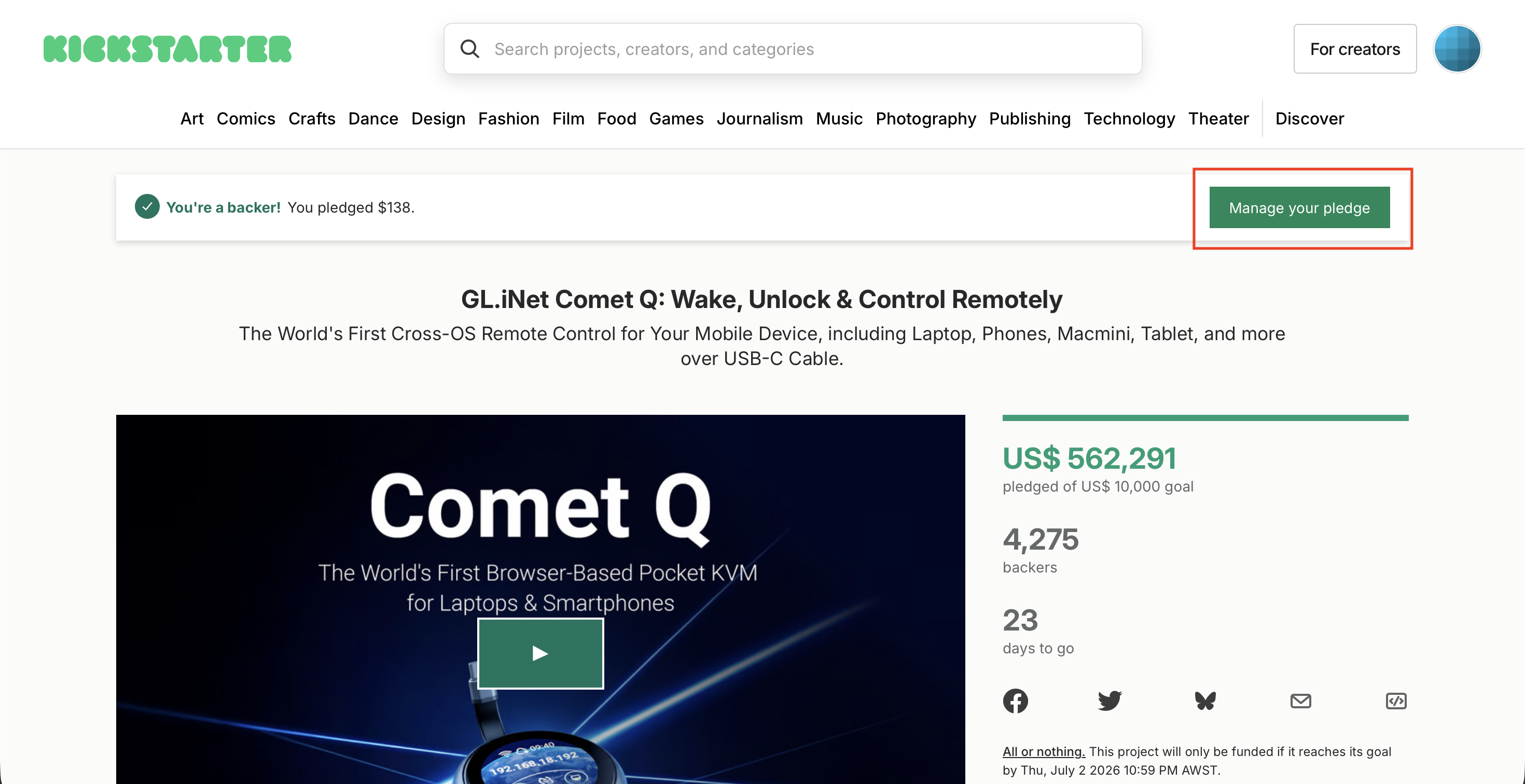
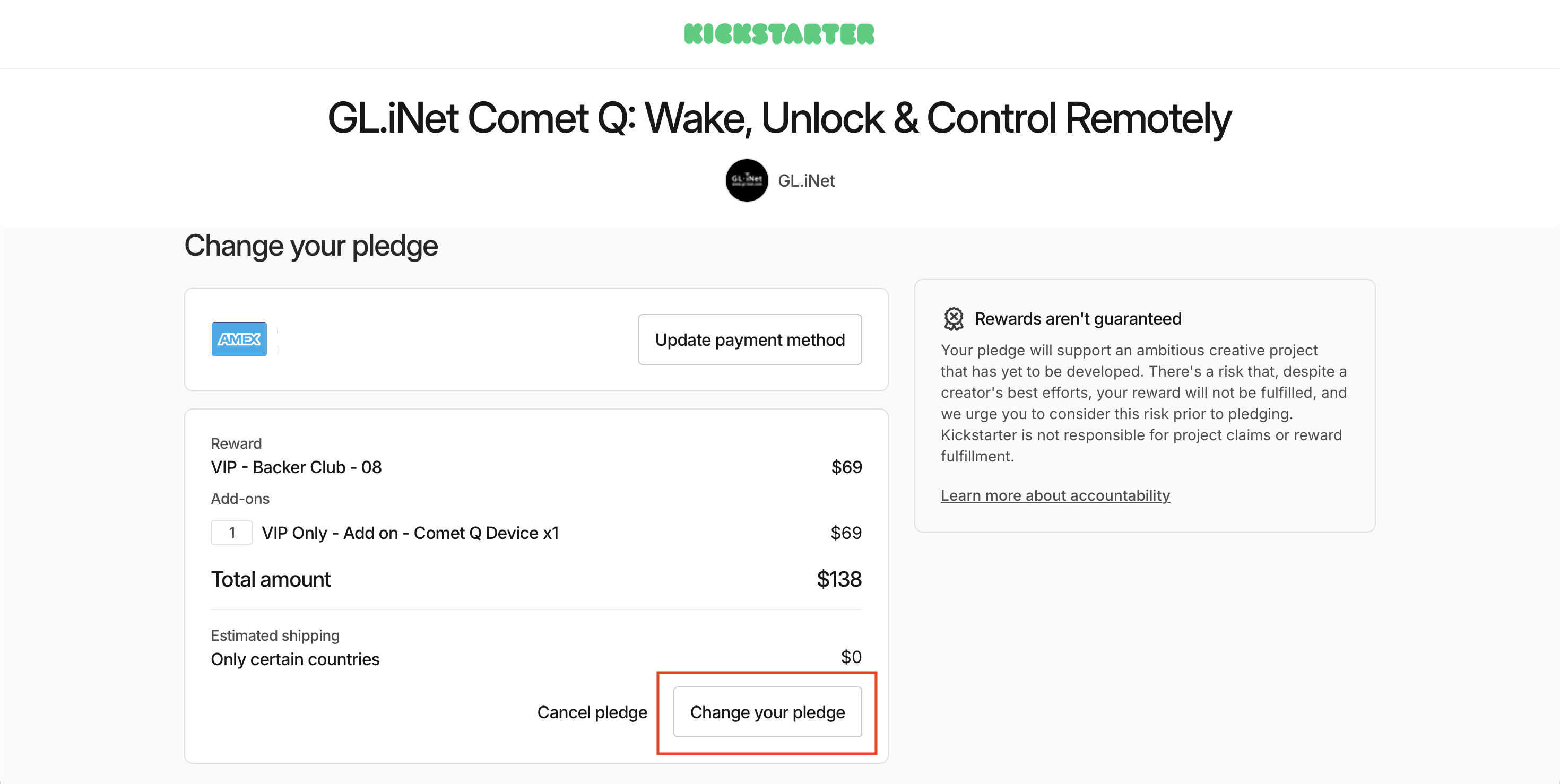
Step 2: Change Your Pledge
On the following page, click the “Change your pledge” button.
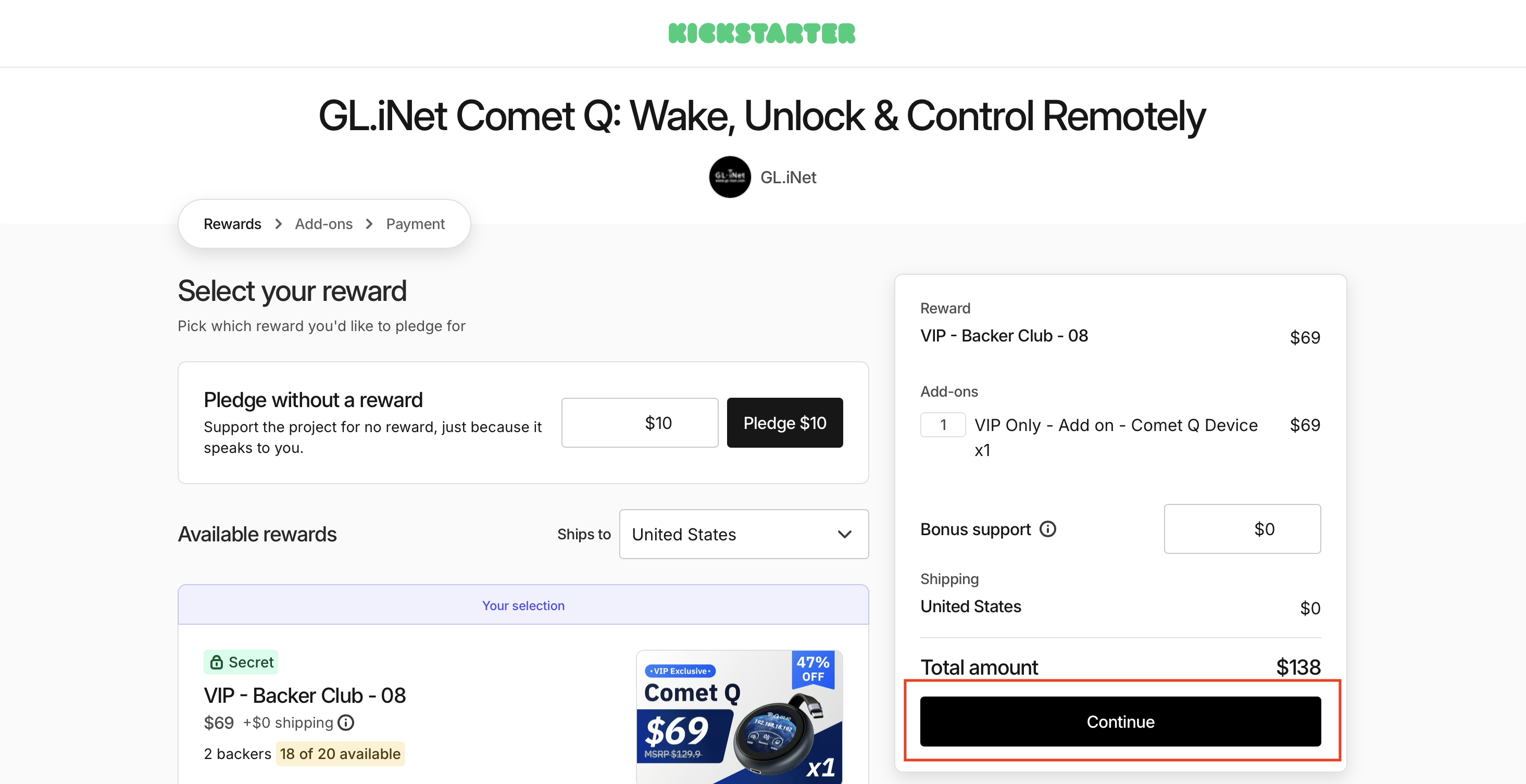
Step 3: Keep Your Selection and Continue
On this page, you will see your current reward selection. Leave it as is and simply click “Continue.”
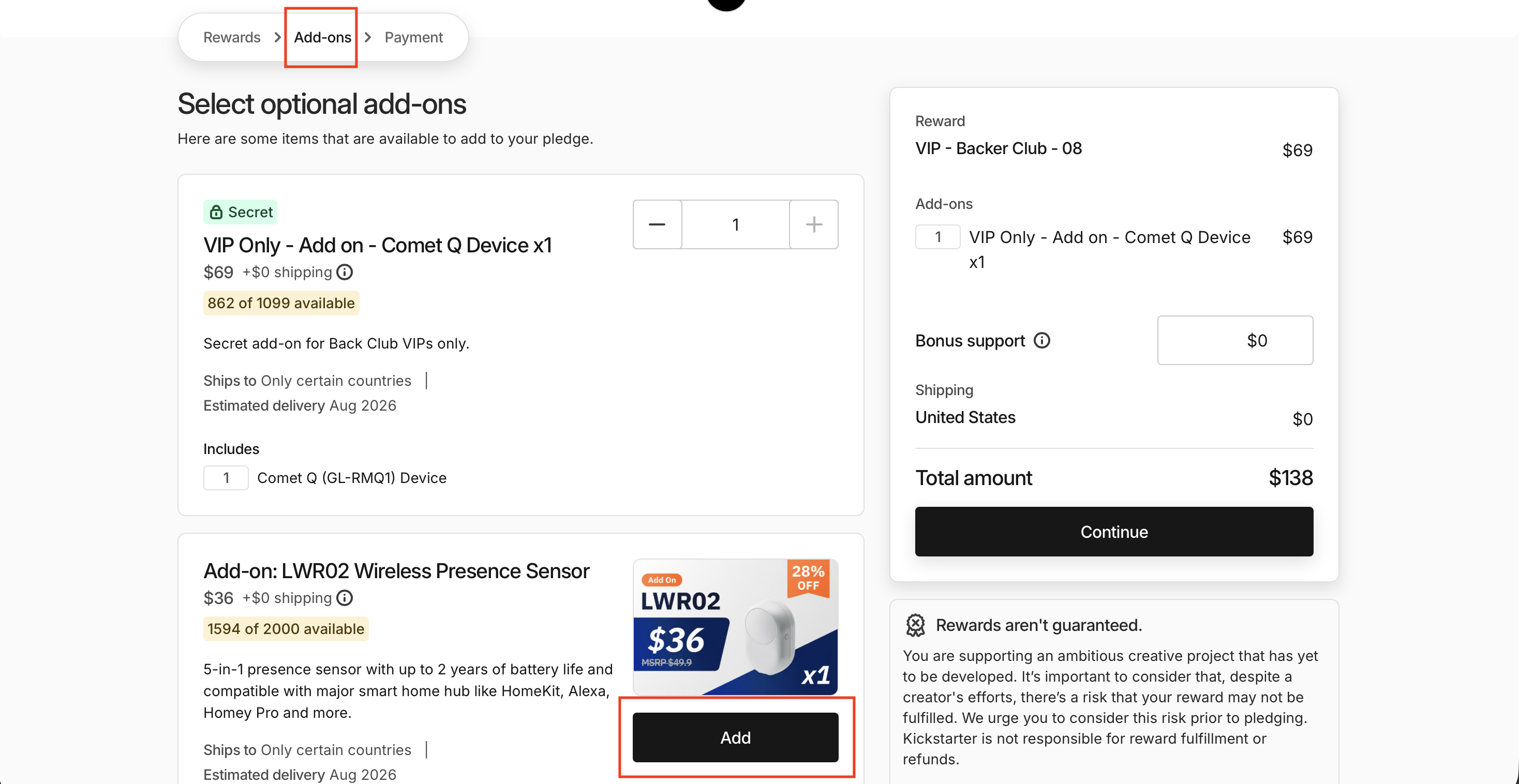
Step 4: Choose Your Add-ons
Next, you can browse all available add-ons. Simply click “Add” next to the items you would like to include.
To confirm you are on the right page, check the progress bar in the top-left corner, it should show you are on the “Add-ons” step.
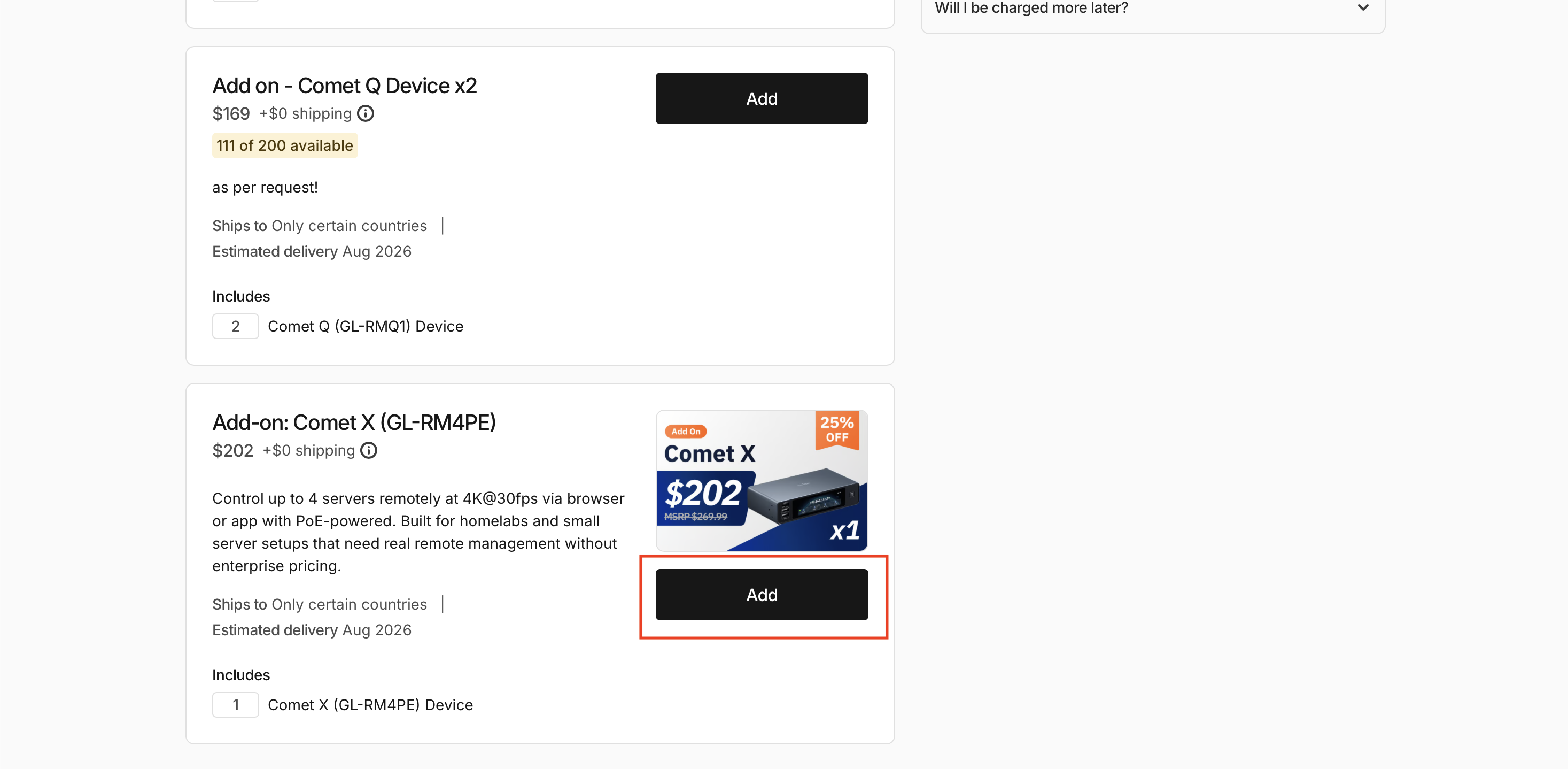
Step 5: Review Your Final Pledge
Click “Continue” to review your new pledge total, which will now include the cost of your selected add-ons.
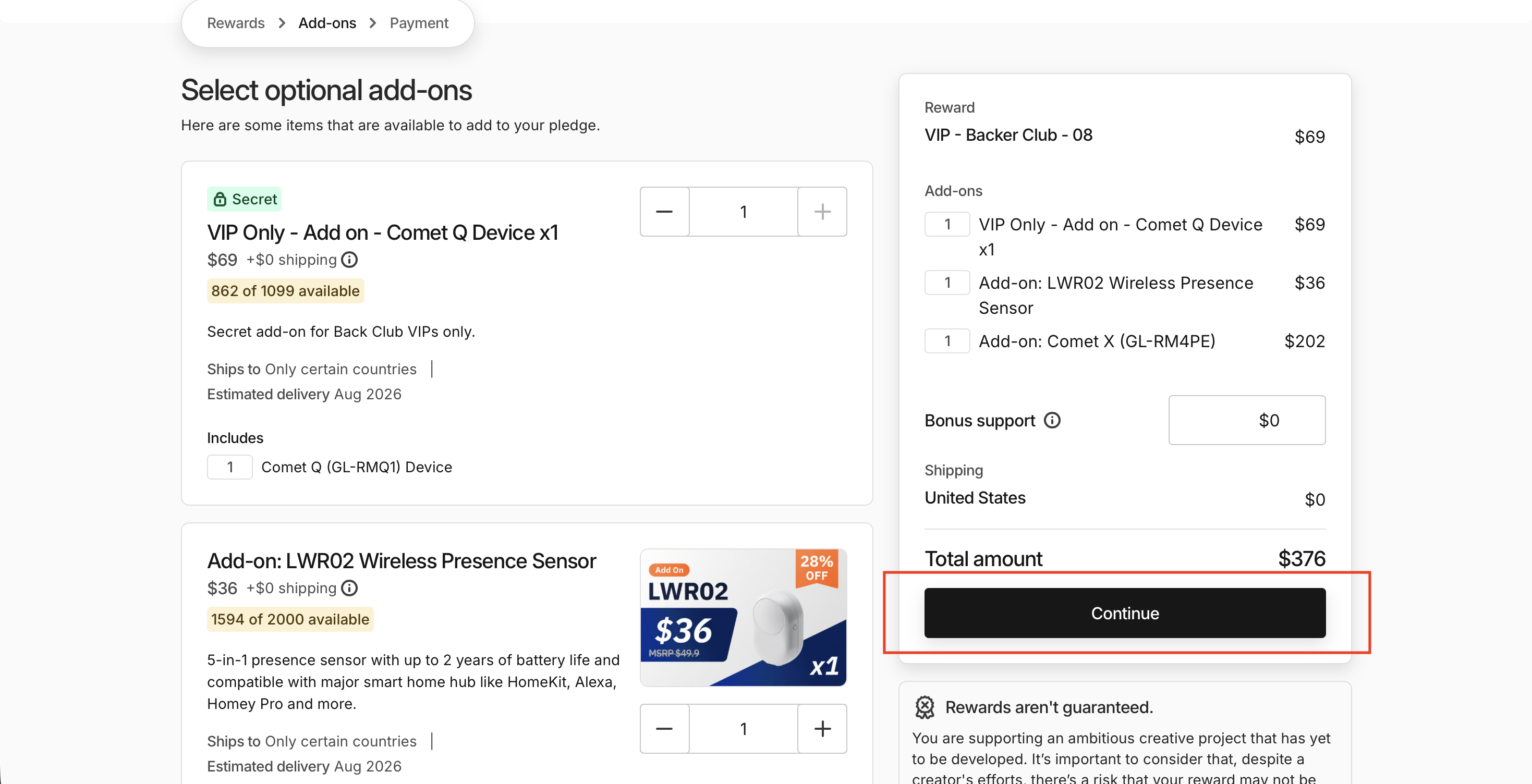
Step 6: Finalize Your Changes
Next, click “Confirm changes” to finalize your updated pledge.
Note: If you have already pledged for Comet Q, you will need to pay an additional $10 USD for add-on shipping (bringing your total shipping to $25 USD).
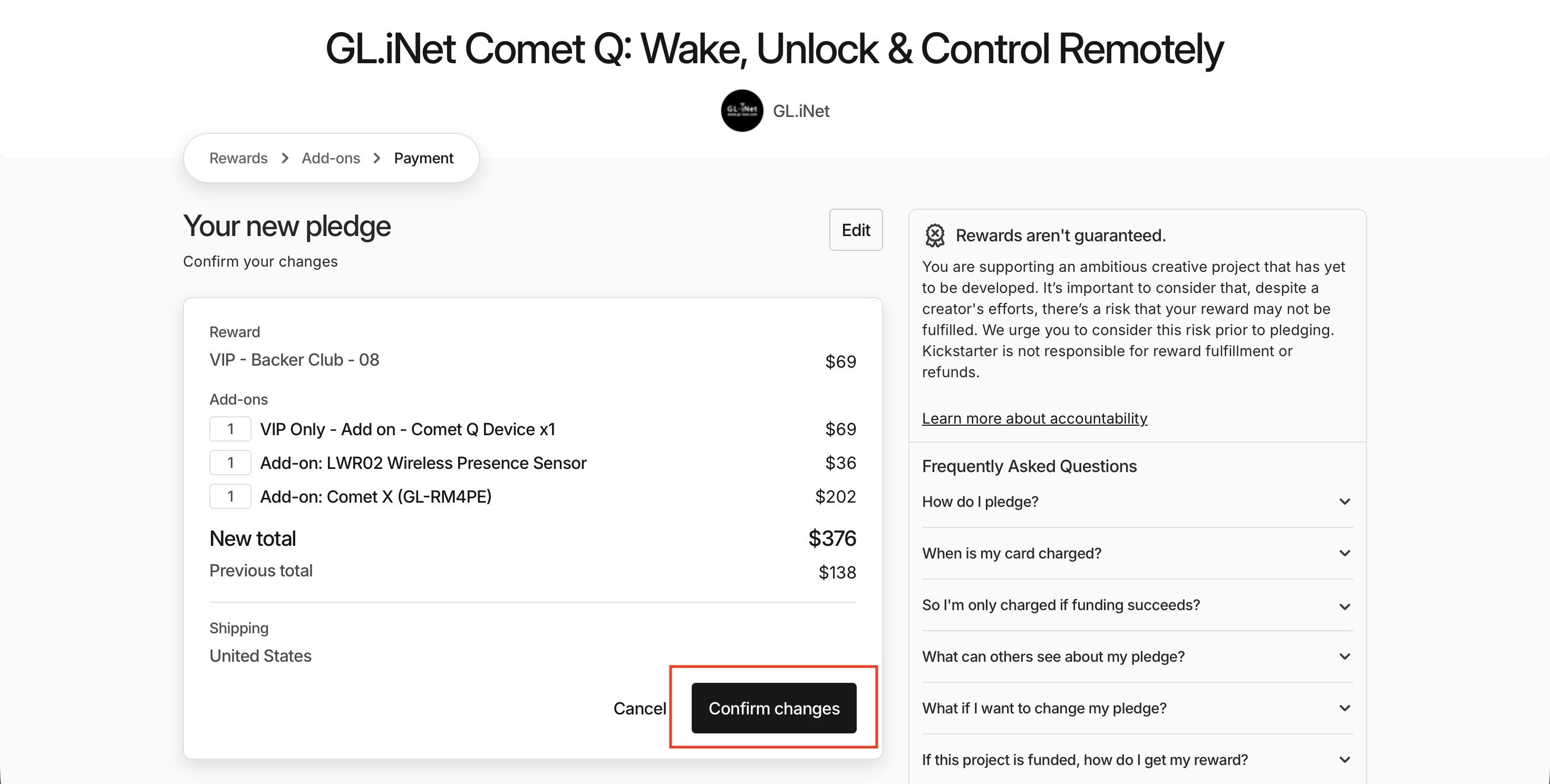
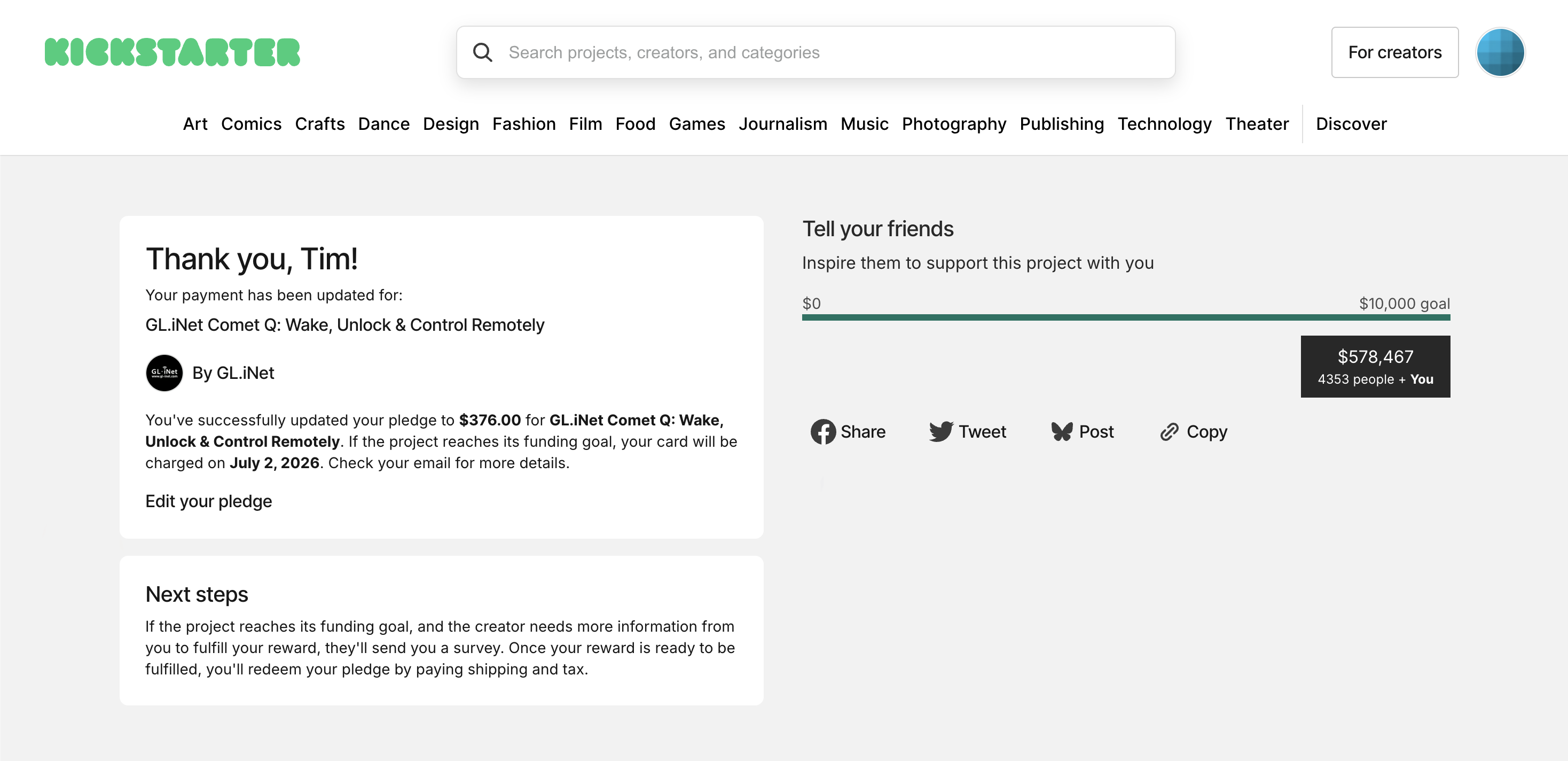
Done!
For VIP: How to Make a Pledge and Choose Add-Ons with Your Secret Links?
As a Backer Club - VIP member, if you haven’t received your secret links yet, please contact our support team at cs@gl-inet.com to claim them. Once you have them, follow the steps below based on your situation.
Please note: Make sure to open your link in a web browser, as the Kickstarter app does not support secret link pledges.
Haven’t pledged yet?
- Log in to your Kickstarter account in a browser
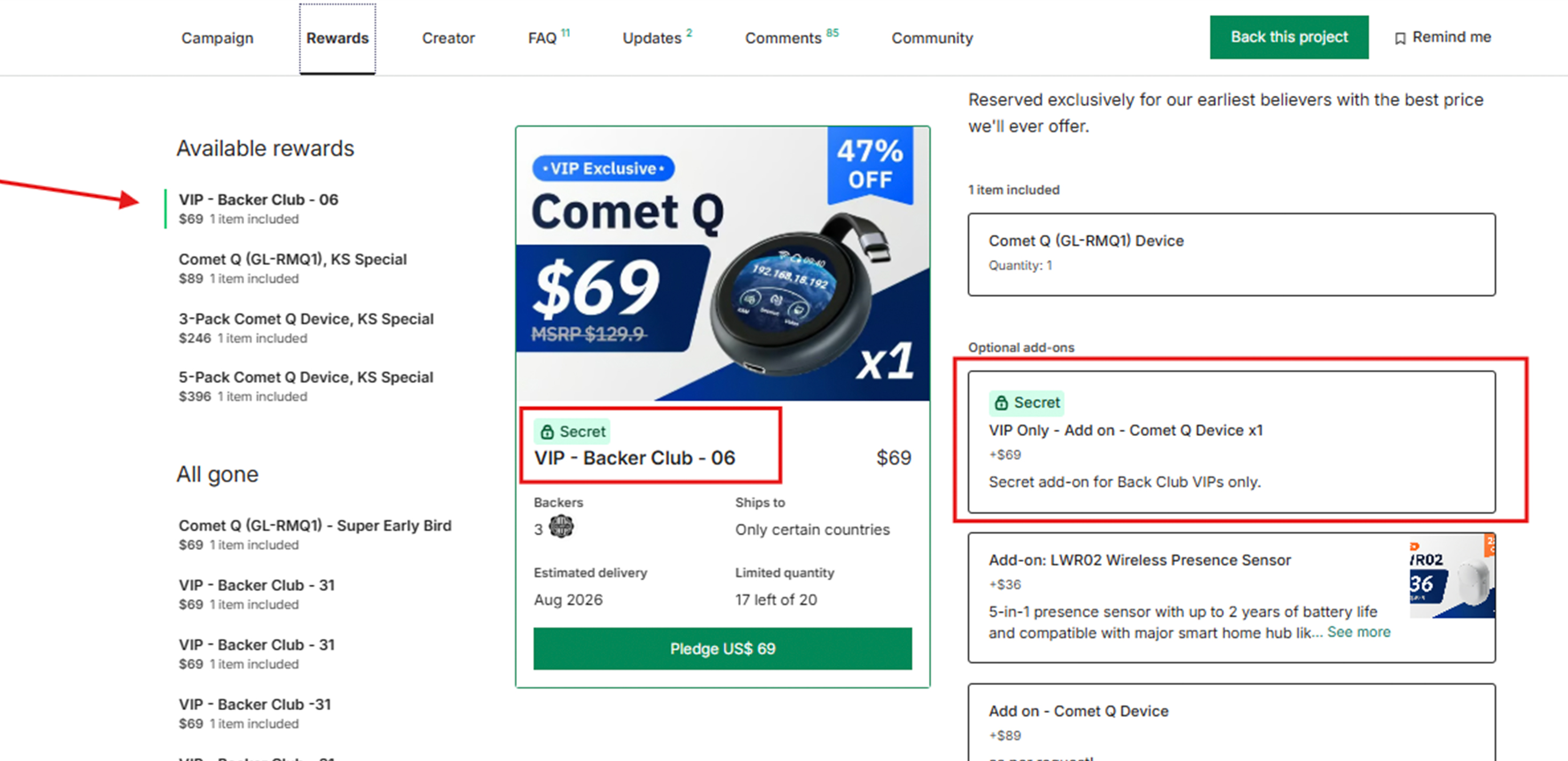
- Click on both your Secret Reward link and Secret Add-on link
- The secret reward and add-on optins will appear, and you can complete your pledge from there
Already pledged?
Follow this guide to edit your add-on selections from your account:
If you run into any issues or have questions, feel free to reach out to us at cs@gl-inet.com!
Thank you so much for your support. See you in next blog post.
About GL.iNet
Founded in 2010, GL.iNet is a leading provider of OpenWrt-based routers and innovative remote networking solutions. From compact travel routers to cutting-edge remote KVMs, GL.iNet delivers award-winning networking technology designed for performance and security.
GL.iNet gives people and organizations the power to connect with confidence. By putting control in the hands of users, GL.iNet supports the productivity and collaboration that shape a Good Life.