


Wi-Fi HaLow Explained: A Simple Guide to Long-Range Wi-Fi
For years, IoT connectivity has been split between two familiar worlds. On one side, traditional Wi-Fi provides fast local networking for phones, laptops, cameras, and smart devices, but its range can fall short across large homes, farms, warehouses, detached buildings, or outdoor worksites.
On the other side, low-power wide-area technologies such as LoRaWAN are excellent for sending tiny packets over long distances, but they were not designed for richer data, lower latency, IP-based local networking, or high-throughput IoT applications.
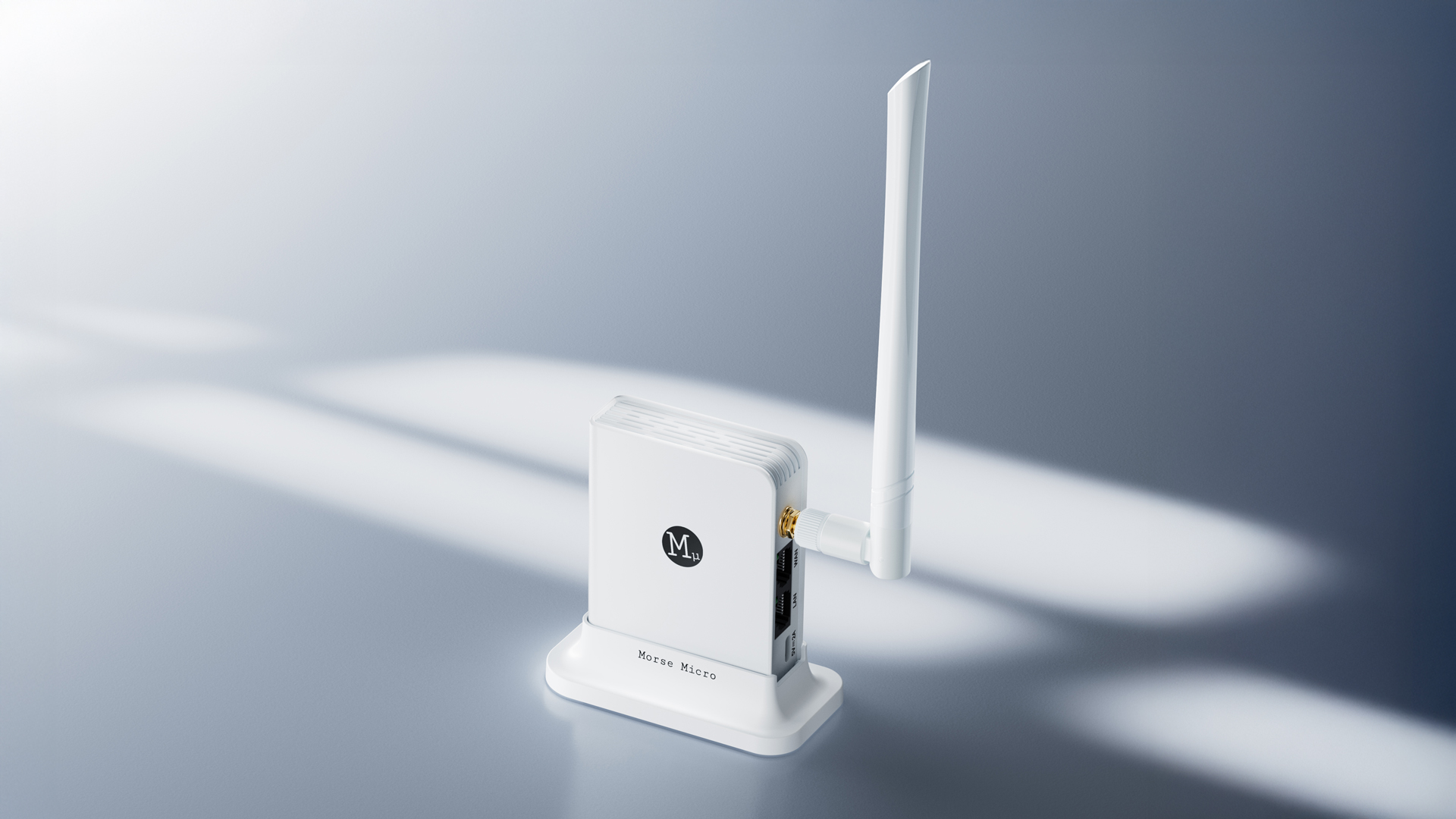
Wi-Fi HaLow fills the gap between these two worlds. It brings long-range wireless coverage, stronger signal penetration, and native Wi-Fi-style networking to IoT deployments that need more than simple sensor pings. With HaLowLink 2, GL.iNet makes this technology practical for homes, farms, warehouses, worksites, and other large-area environments.
What Is Wi-Fi HaLow?
Wi-Fi HaLow, also known as IEEE 802.11ah, is a wireless standard designed specifically for long-range IoT connectivity.
Unlike traditional Wi-Fi, which commonly operates on 2.4 GHz, 5 GHz, or 6 GHz bands, Wi-Fi HaLow operates in the sub-1 GHz range. This lower-frequency signal often holds up better in real-world environments because it can penetrate walls, floors, and outdoor obstacles more effectively than higher-frequency Wi-Fi. The result is a wireless network designed for IoT devices that need longer range, better coverage, and more reliable connectivity across difficult environments.
HaLowLink 2 is GL.iNet's long-range sub-1GHz Wi-Fi HaLow router. It can be deployed as a router, access point, or extender, allowing users to create a flexible network optimized for Wi-Fi HaLow devices while also supporting traditional 2.4 GHz Wi-Fi connectivity.
Why Traditional Wi-Fi Is Not Always Enough
Traditional Wi-Fi is excellent for high-speed networking in homes, offices, and indoor spaces. But range becomes more difficult when the environment expands.
Common examples include:
- A detached garage or workshop at the edge of Wi-Fi coverage.
- A basement, warehouse corner, or equipment room with thick walls.
- A farm, garden, or outdoor facility where devices are spread across a wide area.
- A temporary worksite or event space where running Ethernet is inconvenient.
- A smart home deployment where sensors, cameras, and controllers are not all located near the main router.
In these situations, adding more mesh nodes or access points may work, but it can also increase cost, complexity, and maintenance.
Why LoRaWAN Is Not Always Enough Either
LoRaWAN and other low-power wide-area technologies have played an important role in IoT. They are well suited for applications where devices send small, infrequent messages and battery life is the top priority.
For example, LoRaWAN can be a strong fit for simple use cases such as:
- Soil moisture readings
- Utility meter updates
- Basic environmental sensors
- Small location or status messages
- Low-frequency monitoring over long distances
But many newer IoT applications need more than tiny packets. Modern deployments may involve cameras, richer sensor data, local automation, firmware updates, edge AI, and real-time control. These applications require higher throughput, lower latency, and easier integration with IP-based networks.
This is where Wi-Fi HaLow becomes valuable.
Wi-Fi HaLow is not a direct replacement for LoRaWAN. Instead, it serves a different class of IoT deployment: long-range local networking devices that need more bandwidth, lower latency, and native IP connectivity.
The Simple Physics Behind Long-Range Wireless
Long-range wireless is not magic. A signal does not simply need to be "strong." It needs to be strong enough, usable enough, and structured in a way the receiver can decode reliably. Every wireless receiver has to deal with noise. The farther a signal travels, and the more walls, floors, trees, equipment, or outdoor obstacles it passes through, the weaker it becomes. Long-range wireless technologies deal with this by making careful tradeoffs.
Some of the important tradeoffs are:
- Lower-frequency signals do not travel farther in a vacuum, but in real-world environments they often hold up better because they can penetrate obstacles more effectively than higher-frequency Wi-Fi.
- Narrower channels can improve receiver sensitivity.
- More robust modulation can make a signal easier to decode at longer distances.
- Coding can help correct errors when the signal is weak.
- Lower data rates can improve range because the receiver has more time to collect usable signal energy.
This is why many long-range IoT technologies trade maximum speed for distance and reliability. LoRaWAN is an extreme example: it can achieve very long range for tiny messages, but it does so by keeping data rates very low.
Wi-Fi HaLow follows the same general principle, but with a different goal. Because Wi-Fi HaLow is part of the IEEE 802.11 standard, it integrates naturally with familiar IP-based networks while optimizing the wireless link for longer-range operation. It uses sub-1 GHz spectrum for longer range and better penetration, but it is designed to provide more usable throughput and native IP networking than very-low-rate LPWAN technologies.
In simple terms:
LoRaWAN is excellent when a device only needs to send a small sensor update. Wi-Fi HaLow is useful when that device, camera, controller, or remote system needs a longer-range local network connection with more data, lower latency, and standard IP networking.
Wi-Fi HaLow as an Extended-Range WLAN
One of the most important ways to understand Wi-Fi HaLow is that it is a WLAN technology, not a WAN technology. A cellular network or LoRaWAN deployment is usually designed for wide-area connectivity across cities, regions, or carrier-managed infrastructure. Wi-Fi HaLow is different. It is designed to extend the reach of a local network. That makes it useful for environments where you control the site and want to connect more devices across a larger area.
Examples include:
- A farm connecting sensors, cameras, and irrigation equipment.
- A large home connecting smart devices in garages, basements, and detached buildings.
- A warehouse connecting IoT devices across long aisles and hard-to-reach corners.
- A rural property extending connectivity from one building to another.
- A temporary worksite or outdoor event needing local network access without complex cabling.
In these cases, users may not need a cellular plan or a public wide-area IoT network. They need a local network that reaches farther. HaLowLink 2 is designed for exactly this kind of deployment.
A Real-World Example: Connecting a Detached Garage
Theory is useful, but seeing Wi-Fi HaLow solve a real networking problem is even better.
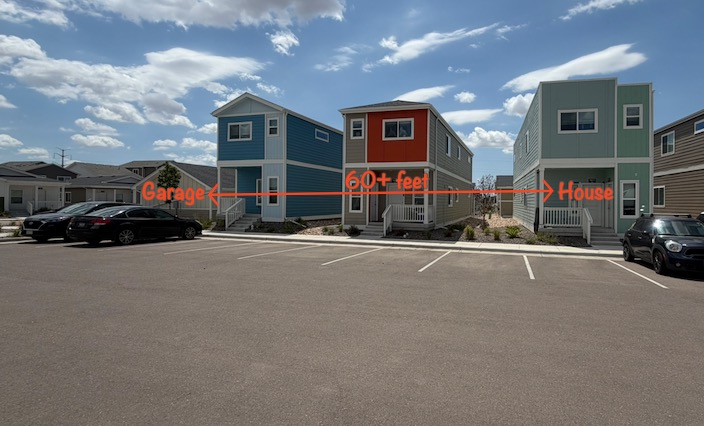
GL.iNet's Nick Bennett recently set up a pair of HaLowLink 2 units to connect a detached garage to his home network. The house and detached garage are approximately 60 feet (18m) apart, with two intervening buildings and roughly five walls along the signal path, creating a much more challenging environment than a simple line-of-sight link.
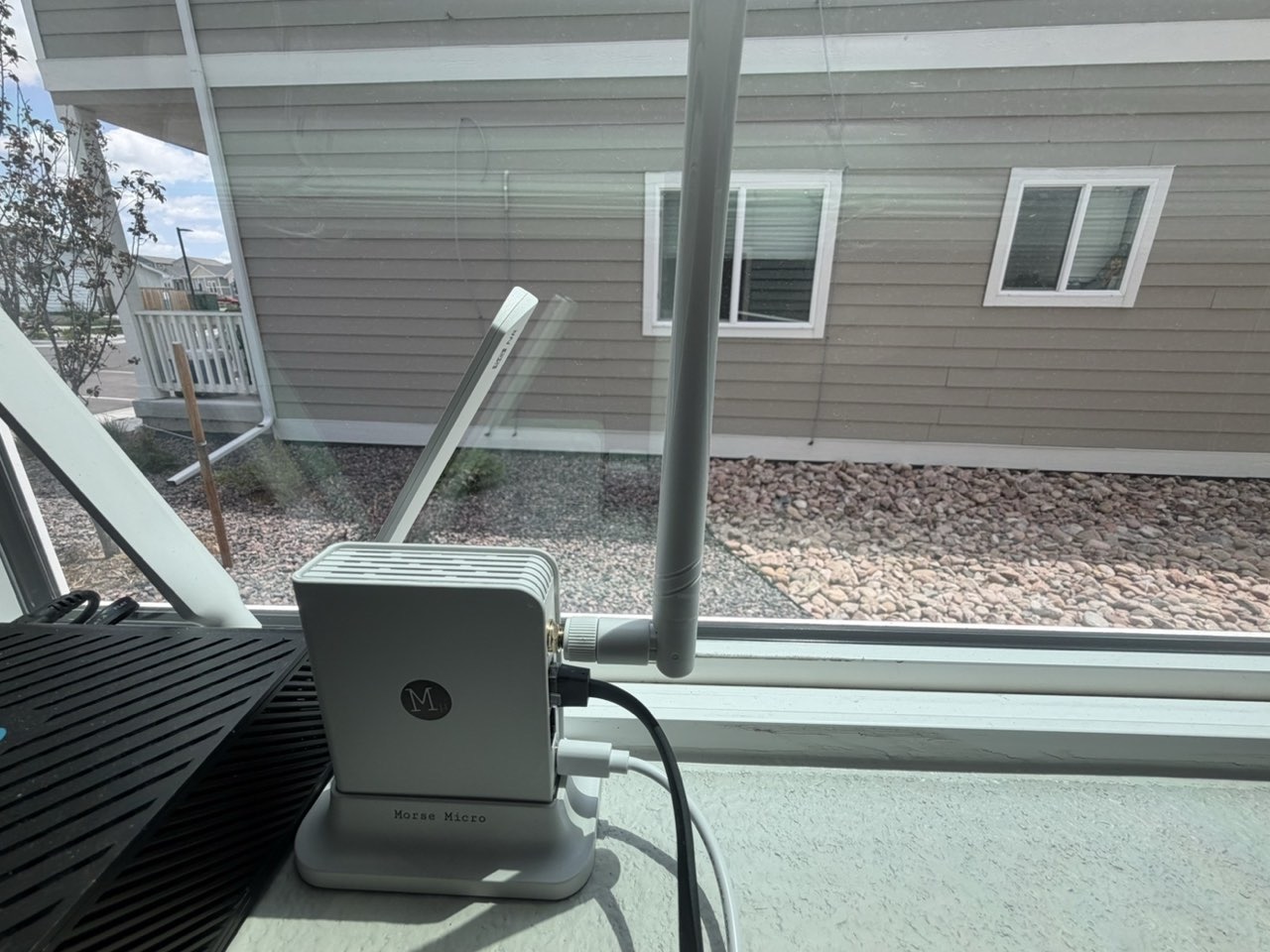
The primary HaLowLink 2 is installed inside the house near a window facing the garage.
The second HaLowLink 2 is installed in the detached garage, extending the local network to devices that would otherwise require additional Wi-Fi infrastructure or Ethernet cabling.
Using this connection, Nick operates:
- A Chamberlain MyQ smart garage door opener
- An Alaga PTZ security camera
- Home automation through Apple HomeKit
- Object detection and notifications using Scrypted
The garage door opener itself uses very little bandwidth, making it an excellent fit for Wi-Fi HaLow.
The security camera is more demanding. In this particular deployment, 360p video streams reliably, while higher resolutions begin to experience interruptions due to the available throughput over the link. Even at 360p, however, the video remains suitable for checking the garage, monitoring activity, and receiving motion alerts.
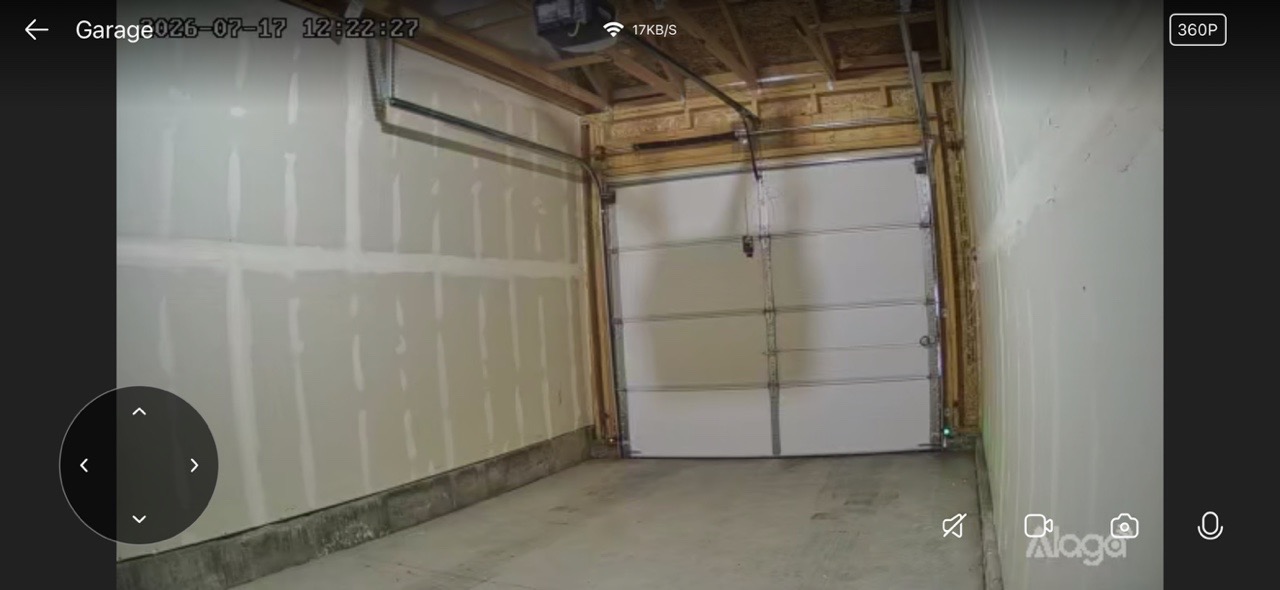
This example highlights an important point: Wi-Fi HaLow is not intended to replace gigabit Wi-Fi. Instead, it extends IP connectivity into places where conventional Wi-Fi may struggle, allowing lower-bandwidth devices and even modest video streams to remain connected over longer distances and through more challenging environments.
Nick plans to publish a more detailed write-up of this installation, including additional performance testing, configuration details, and lessons learned, on his personal blog at Tech Relay. If you're interested in reproducing a similar deployment, it will be a great resource to follow.
Managing Your HaLow Network
HaLowLink 2 includes a browser-based interface, admin panel, that makes configuring and monitoring a Wi-Fi HaLow deployment straightforward. While the platform is built on OpenWrt, everyday configuration is simplified through an intuitive dashboard and setup wizard that supports common deployment modes such as router, access point, and extender. In our testing, pairing two HaLowLink 2 units took only a few seconds.
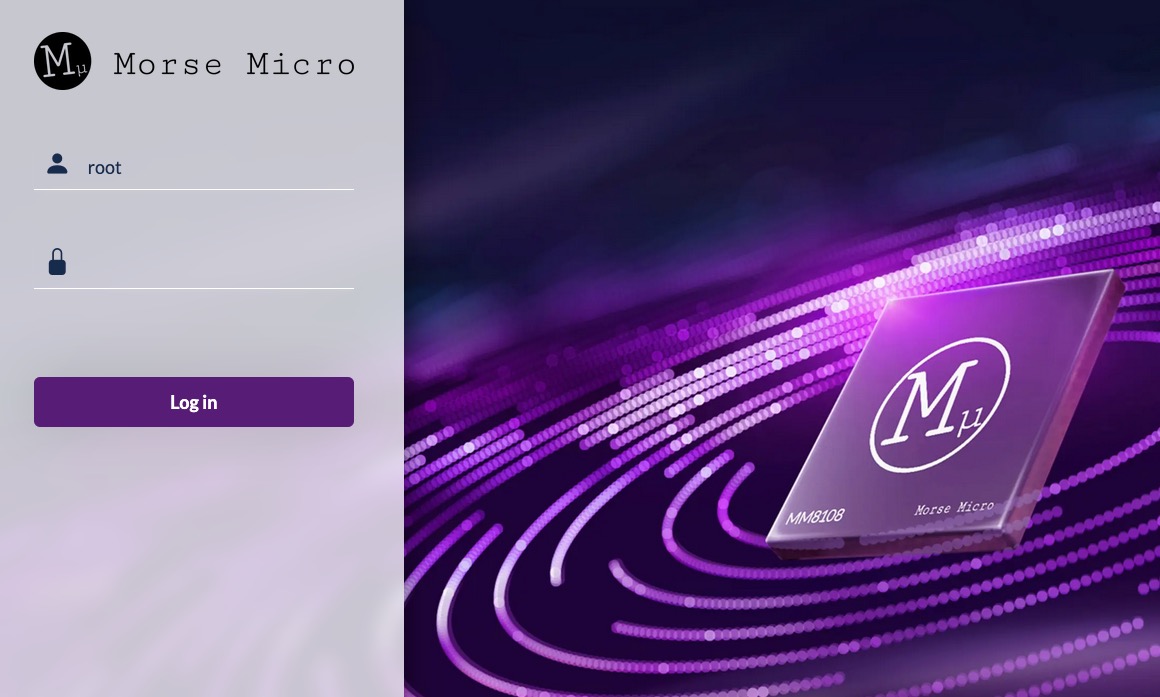
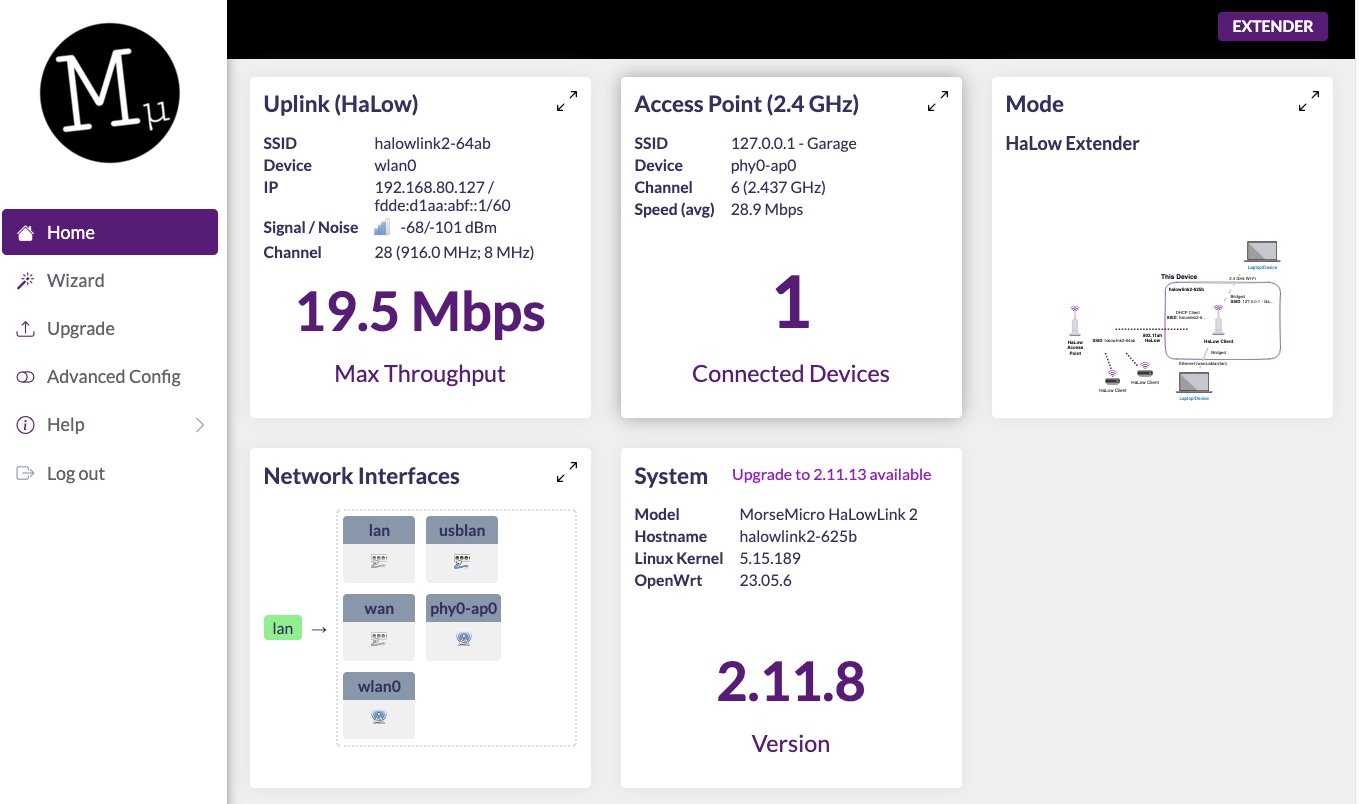
Once logged in, the dashboard provides an overview of your HaLow network, including operating mode, connected devices, software version, network interfaces, and current link performance.
Selecting the HaLow uplink displays more detailed wireless statistics, including operating frequency, channel width, signal strength, negotiated PHY rates, encryption, connection uptime, and IP addressing.
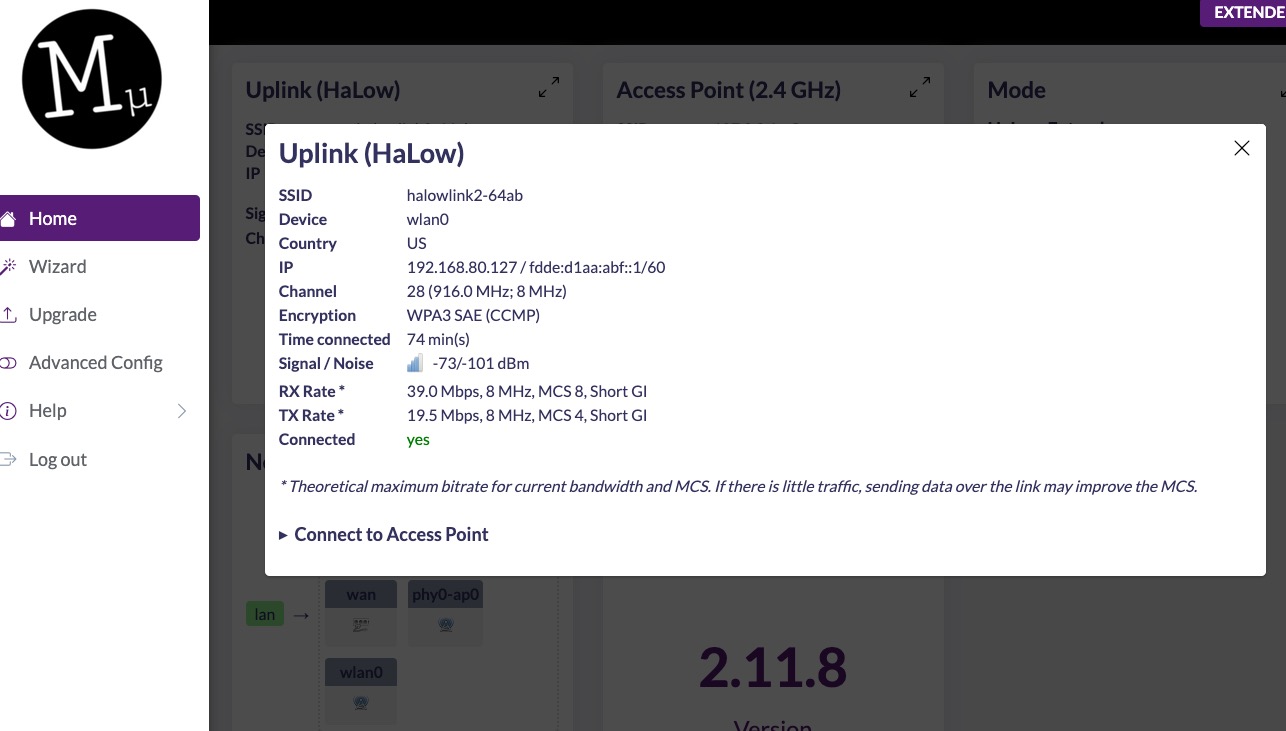
In Nick's detached garage deployment, the extender maintained a stable connection on 916 MHz using an 8 MHz channel, with a received signal level of approximately -70 dBm. The link negotiated PHY rates of up to 39 Mbps receive and 19.5 Mbps transmit, providing more than enough throughput for the garage door controller while also supporting a reliable 360p live video stream.
These built-in diagnostics make it easy to verify link quality, optimize antenna placement, and troubleshoot installations without requiring specialized wireless analysis tools.
Is Wi-Fi HaLow Right for You?
- If you need gigabit speeds inside your home, traditional Wi-Fi remains the better choice.
- If you only need tiny battery-powered sensor messages over kilometers, LoRaWAN may be the better fit.
- But if you need IP networking with significantly greater range than conventional Wi-Fi, Wi-Fi HaLow fills a unique gap.
Whether you're connecting a detached garage, monitoring equipment across your property, extending coverage through a warehouse, or building IoT infrastructure across a large site, HaLowLink 2 offers a practical way to extend your local network without relying on cellular service or extensive Ethernet cabling.

About The Author
Adam, a Virginia native with a passion for international travel, holds an Electrical Engineering degree from Virginia Tech. He is a Solutions Engineer and Call Center Branch Manager at GL.iNet and creator of The Wired Nomad, a resource for digital nomads. Connect with him on his website.
About GL.iNet
Founded in 2010, GL.iNet is a leading provider of innovative routers and networking solutions. From compact travel routers to cutting-edge remote KVMs, GL.iNet delivers award-winning networking technology designed for performance and security.
GL.iNet gives people and organizations the power to connect with confidence. By putting control in the hands of users, GL.iNet supports the productivity and collaboration that shape a Good Life.