


The Story Behind Comet Q (GL-RMQ1): Remote Control for Everyone
Hi everyone, I’m Robert Luo, product manager at GL.iNet.
At GL.iNet, we’ve always believed that networking should be simple and accessible to everyone, not just engineers and IT teams. With the Comet family, that belief took a specific shape: giving anyone the ability to fully control a computer from anywhere in the world, even if the OS crashes or the machine loses power. Today, I want to tell you about the newest member of that family: Comet Q.
We Solved Remote Access. But Not for Everyone
After launching the Comet lineup — Comet, Comet PoE, Comet Pro, and Comet 5G — we kept hearing the same thing from users: initial setup was complicated.
And honestly? They were right.
To set up a remote KVM, you need to connect an HDMI cable, a USB cable for keyboard and mouse, a power cable, and an Ethernet cable if you want a wired connection. For an IT professional, that’s no big deal. But for a regular person who just wants to remotely access their computer while they’re away? That’s really too much.
On top of that, our existing Comet devices were built for devices with HDMI ports. Phones, laptops, and tablets with only USB-C ports were left out entirely.
What If Setup Was just… Plugging In?
The question we kept asking ourselves was simple: what’s the minimum number of cables required for this to work?
We wanted the answer to be one.
Modern USB-C carries video, data, and power all at once, and it’s on virtually every device people use today. If we build a KVM that lives entirely within that ecosystem, we could eliminate every other cable from the equation.
So this is it. Comet Q connects to your device with a single USB-C cable. No HDMI dongle. No USB-A hub. Just plug in, and you’re ready for remote control.
Every Detail Has a Reason
From the very start of product design, we knew we wanted Comet Q to feel different from anything else.
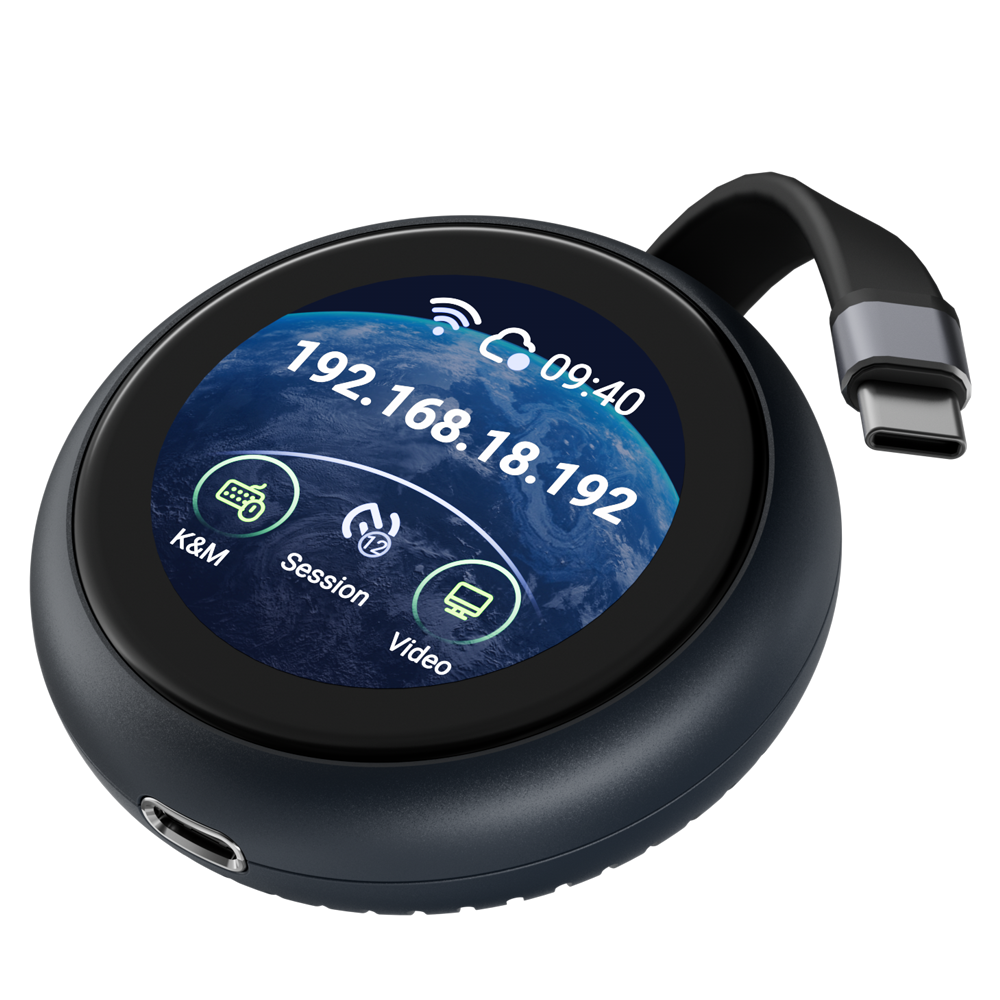
The body of Comet Q is a small, satisfying round disc, roughly the size of a chocolate chip cookie. On its face is a circular touchscreen, with a USB-C extending from the body. It looks like a letter Q. And yes, that’s exactly where the name comes from.
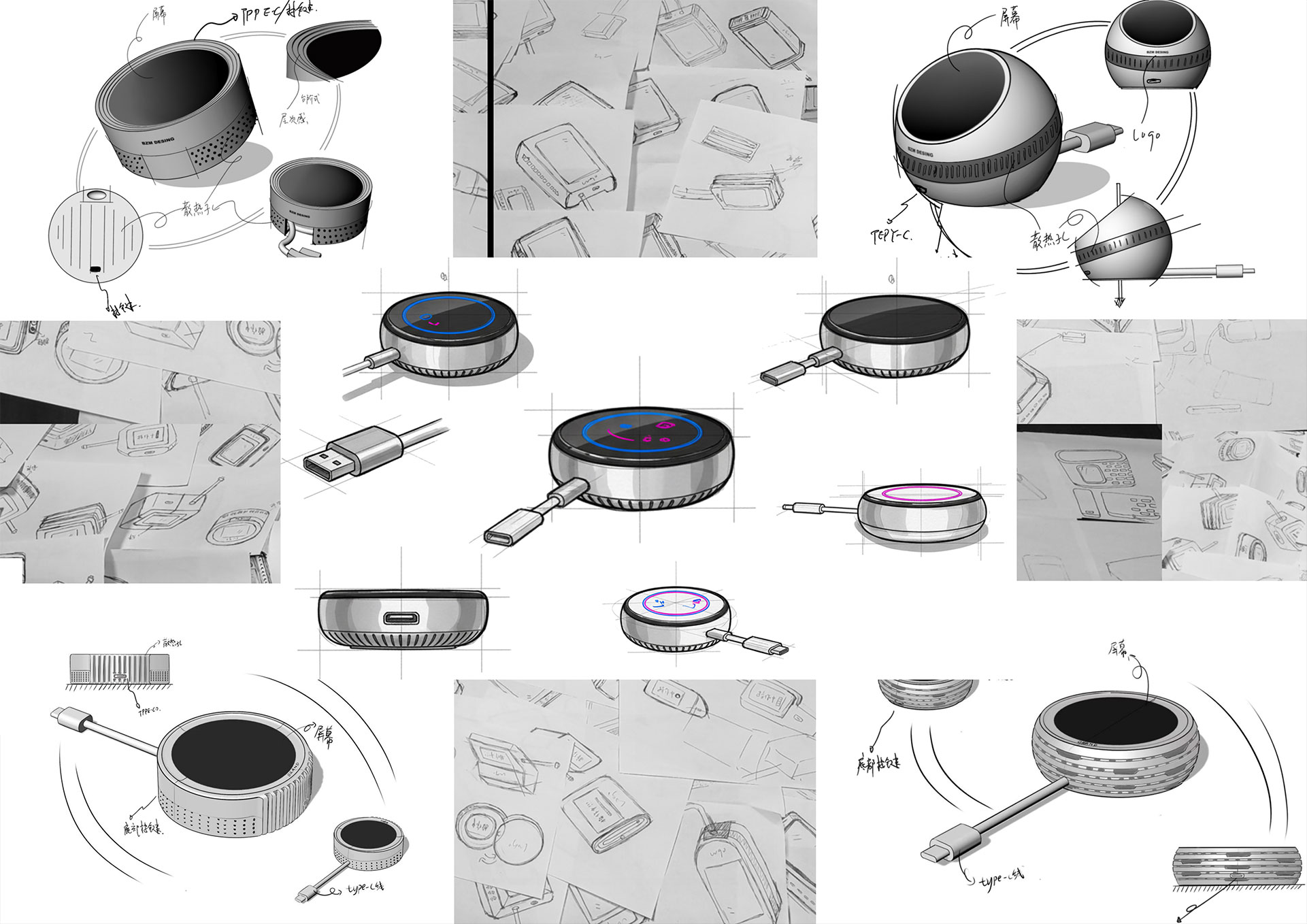
We also added a USB-C passthrough port on the other end of the device. This means you can keep your laptop charging while Comet Q is plugged in, so you don’t have to worry about coming back to a drained battery.
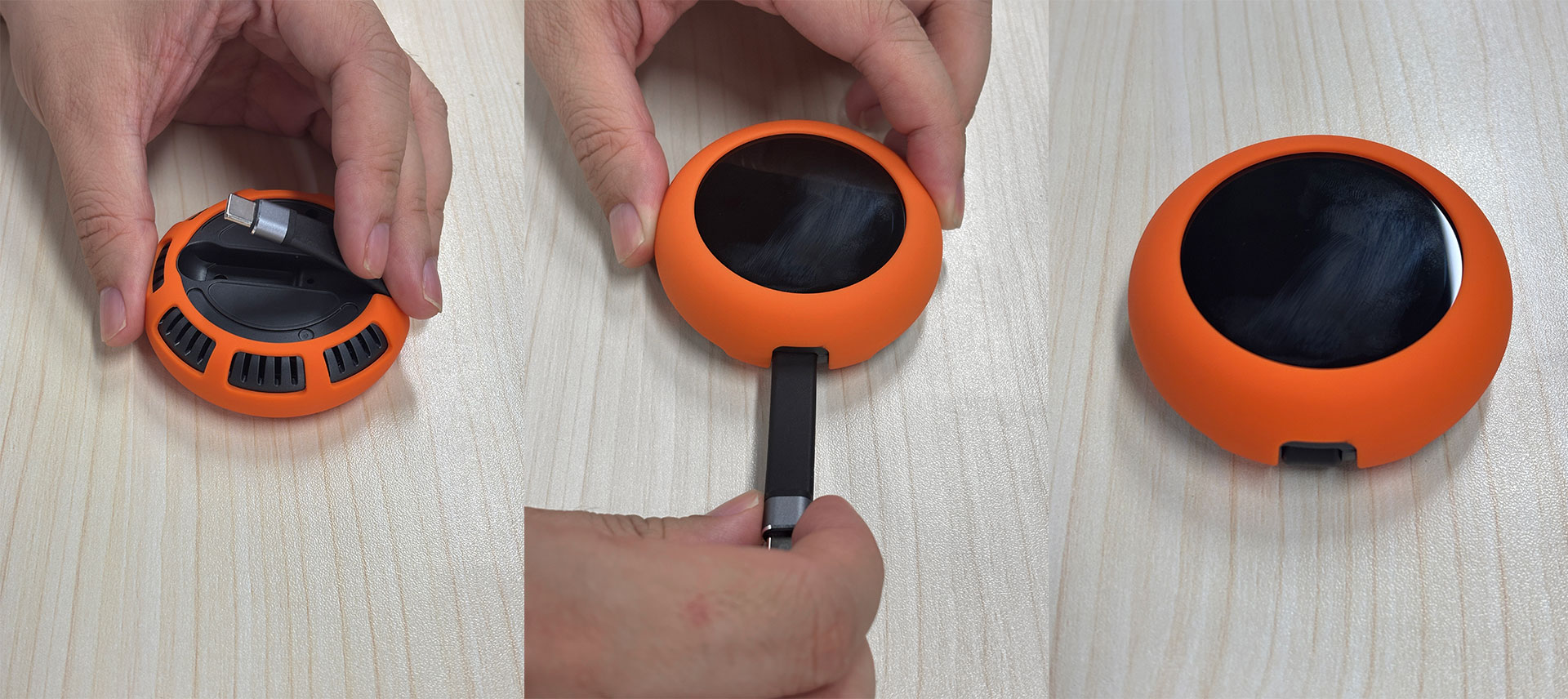
One thing we thought a lot about was the cable itself. Because it folds in and out every time you use the device, it has to hold up to daily use. Most cables fail at the point of repeated bending where the internal copper layer cracks and signal quality degrades over time. Keeping that in mind, we opted for a stronger structure that allows the cable to stay flexible without breaking down inside, with better shielding and durability. We put it through bend testing, and it lasted over 10,000 bends! At three uses a day, that’s nearly a decade of everyday use.
Why Not Just Use Remote Desktop Software?
When most people think about accessing a device remotely, their first instinct is to reach for software. It’s a reasonable instinct. These tools are easy to install and work well enough in many situations.
But they come with two fundamental limitations that are hard to work around.
The first is the “sleep problem”. Software remote access only works when the device is awake, unlocked, and running normally. If your laptop goes into sleep mode, the connection drops. If the screen locks, you’re locked out too. And you can’t leave a device unlocked and unattended just so you can access it later, that defeats the whole point of security.
In contrast, Comet Q works at the hardware level, it doesn’t matter if the device is locked, sleeping, or the laptop lid is closed, you can still get in, wake it up, and take full control, exactly as if you were sitting in front of it.
The second is the ecosystem restriction. Remote desktop software works between similar devices, a Windows laptop controlling another Windows machine, for example. But it can’t cross platforms. You can’t use software to control an iPhone from an Android device, or access a phone from a laptop. The moment you step outside the same OS ecosystem, software solutions fall apart.
Again, because Comet Q operates at the hardware level, the platform doesn’t matter. Any mobile device with a USB-C port* can be controlled from anywhere, regardless of what OS it’s running.
*Requires USB-C port with DisplayPort Alt Mode support. Most modern laptops, mini PCs, MacBooks, iPads, and flagship Android devices are supported. See compatibility list.
Simple Enough for Anyone
Here’s the thing, Comet Q isn’t really a “KVM” in the traditional sense. It’s a tiny device that lets you remotely control any USB-C device: your laptop, your phone, or your Mac mini.
Most devices that claim to be “plug-and-play” aren’t really. There’s still a setup process that assumes you know what you’re doing.
We wanted Comet Q to be self-explanatory from the moment it’s in your hand. Don’t get me wrong, you’ll still need to go through a quick initial setup. But we designed the touchscreen so you can do it right on the device, without hunting through a manual or opening a laptop. Once that’s done, it just works. Plug it in, and you’re in control.
The other Comet models are still the right choice if you’re managing servers, running a home lab, or need to control a desktop with full hardware-level access.
Comet Q is for everyone else. It’s for someone who needs to access an iPhone from an Android device. It’s for the person with a laptop who never thought hardware remote access was an option for them. It’s for anyone who wants to stay in control of their devices: phone, tablet, or computer, without needing to be in the same room.
Remote control should be simple enough for anyone. Comet Q is our answer to that.
Stay tuned for more updates, and we can’t wait to put it in your hands.

About The Author
Robert Luo is a full-stack engineer, product manager and power user at GL.iNet with over 10 years of experience. He has a knack for uncovering real-world problems in the details of daily life and building practical, effective products to solve them.
About GL.iNet
Founded in 2010, GL.iNet is a leading provider of OpenWrt-based routers and innovative remote networking solutions. From compact travel routers to cutting-edge remote KVMs, GL.iNet delivers award-winning networking technology designed for performance and security.
GL.iNet gives people and organizations the power to connect with confidence. By putting control in the hands of users, GL.iNet supports the productivity and collaboration that shape a Good Life.