GL.iNet Comet Pro Review: Redefining Remote KVM Control
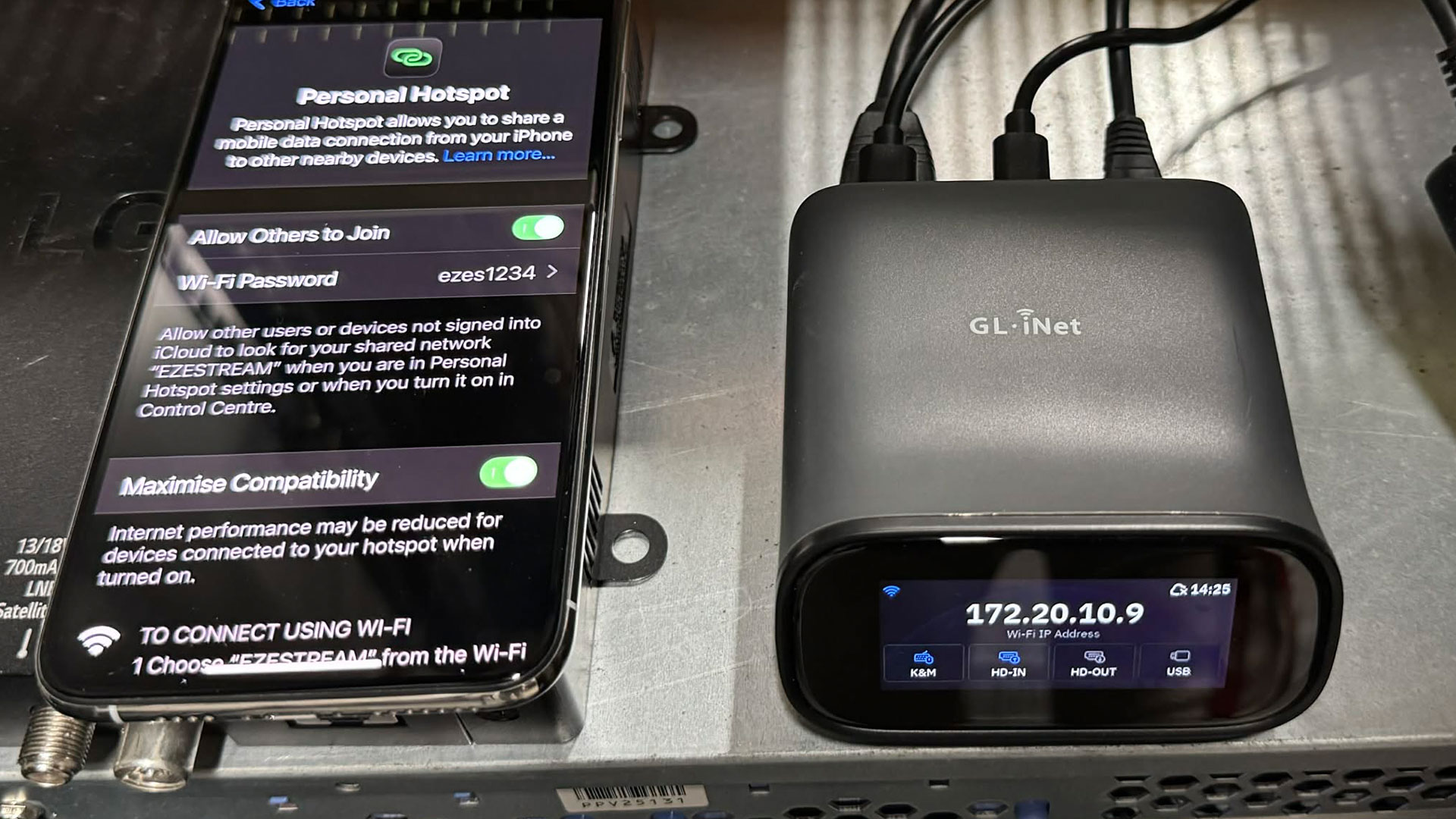
GL.iNet Comet Pro (GL-RM10) in action tethered to my 4G Mobile phone.
Imagine being miles away from your PC and suddenly needing to tweak BIOS settings or install a fresh operating system. Tools like TeamViewer or AnyDesk can’t help here as they only work once the OS has booted. That’s where the GL.iNet Comet Pro (GL-RM10) steps in.
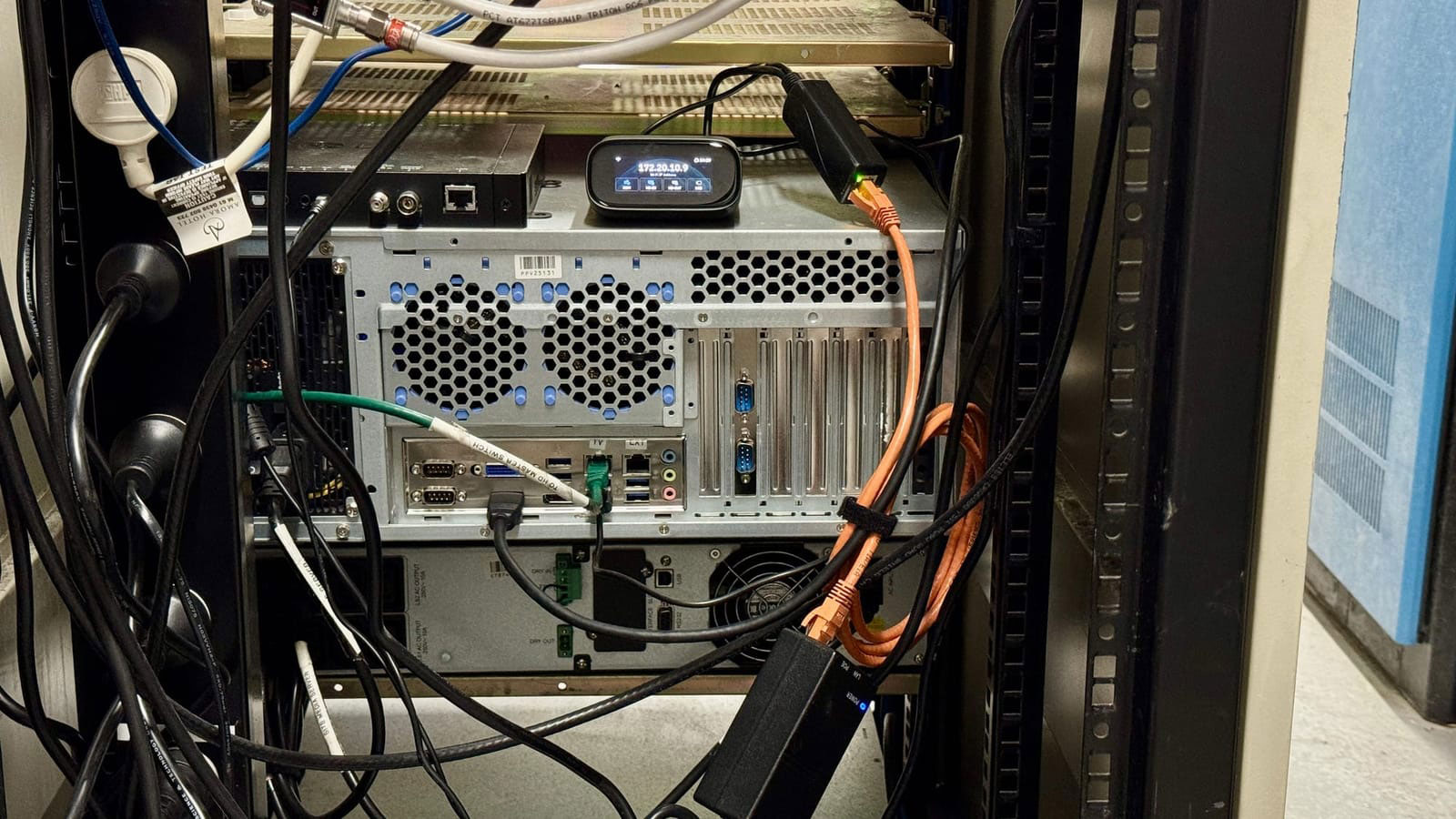
The GL.iNet Comet Pro (GL-RM10) at work. A custom-built 4U Media Server on an offsite location with no IPMI, iDrac or iLO support.
The story of this device started with the original Comet (GL-RM1), a compact remote KVM that quickly gained a loyal following. Its success paved the way for the PoE-enabled Come PoE (GL-RM1PE). Now, the Comet Pro (GL-RM10) takes the concept even further. Launched on Kickstarter, it offers complete control of a system from the moment it’s powered off, making remote fixes, OS installs, and BIOS tweaks effortless. With a cleaner interface, faster setup, and expanded connectivity, it’s the most polished and capable Comet yet.
If you’re an IT tech on the move, a homelab tinkerer, someone working miles from home, or a sysadmin sick of lugging around half a desk just to fix a machine this little powerhouse might just be your new favourite tool. If that sounds familiar, buckle up and read on.
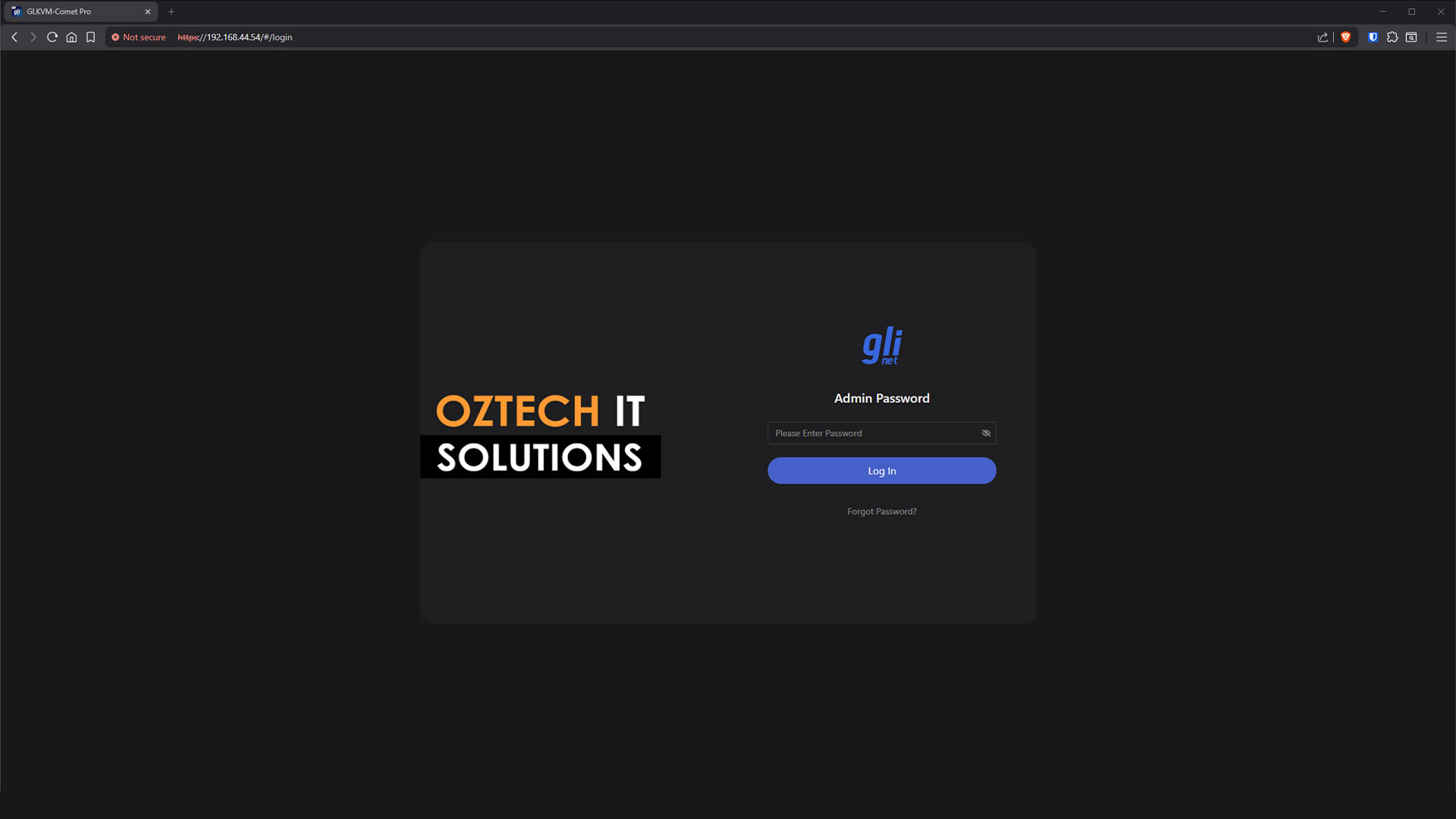
A customized login screen on my beta version GL-iNet Comet Pro (GL-RM10).
What It Is and Why It Matters
The Comet Pro bridges the gap between convenience and control. Acting as a remote console for your target device, it provides full keyboard, video, and mouse access from anywhere whether you’re across the room or across the country. Unlike software-based remote tools, this hardware solution gives you direct, BIOS-level access, letting you manage OS installations, recover broken systems, tweak firmware settings, or even perform a full cold boot remotely.
Optional Add-Ons: ATX Board and Fingerbot
While the Comet Pro already gives you BIOS-level visibility and full KVM control, GL.iNet offers two optional accessories that take remote management even further: the ATX Control Board and the Fingerbot. Both serve different purposes, and depending on your setup, they can turn the Comet Pro from a remote viewer into a true remote operator.
ATX Board – Remote Power & Reset Control (The Proper Way)
The ATX board is essentially a small module that connects directly to your server or PC’s motherboard headers the same pins used for your physical Power and Reset buttons. Once connected, the Comet Pro gains the ability to perform:
- Full power on / power off
- Hard resets
- Forced shutdowns
- Cold boots, even when the OS is completely unresponsive
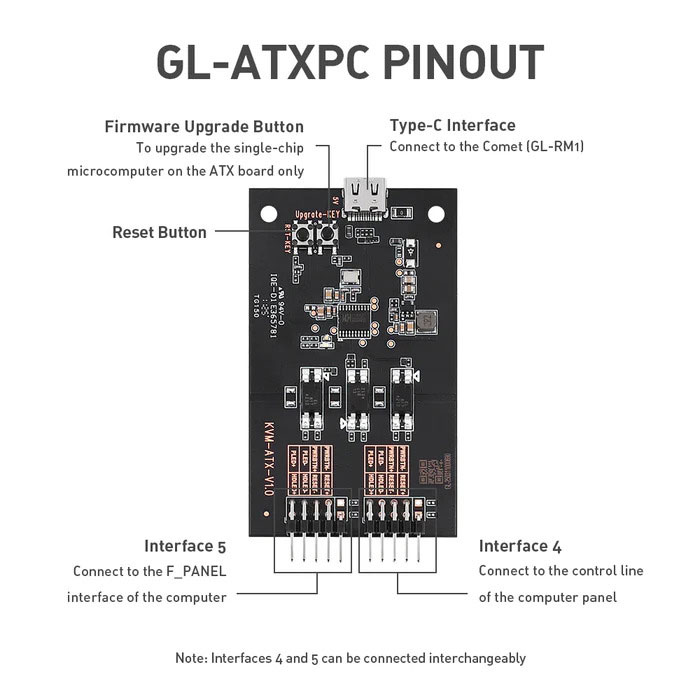
GL.iNet ATX board
This is a huge upgrade because, without an ATX controller, the Comet Pro can show you the BIOS and OS screens but it cannot physically toggle power if the machine locks up. In data centres or remote homelab environments, having the ability to cycle the system without human intervention is pure gold.
It essentially gives you one of the most important features of enterprise OOB systems like iDRAC or IPMI, hardware-level power control, without buying expensive server hardware.
Use-case example:
Your Proxmox node or TruNAS box is offsite. It freezes during an update. Normally you’d need someone physically present to press the power button. With the ATX board, you can:
1. Cut the power
2. Turn it back on
3. Jump straight into BIOS or the boot loader via the Comet Pro interface
That’s true, complete remote management.
Fingerbot – Universal Physical Button Presser
If your server or PC doesn’t allow access to front-panel headers, or you’re dealing with a prebuilt system / NAS / mini-PC that doesn’t expose motherboard pins, or even laptops… GL.iNet includes a surprisingly clever alternative: the Fingerbot.
The Fingerbot is a tiny robotic actuator that physically presses the power button for you. It attaches using 3M adhesive and pairs with the Comet Pro, allowing you to perform:
- Remote power-on
- Remote hard resets
- Long-press actions (helpful for systems with special power behaviour)
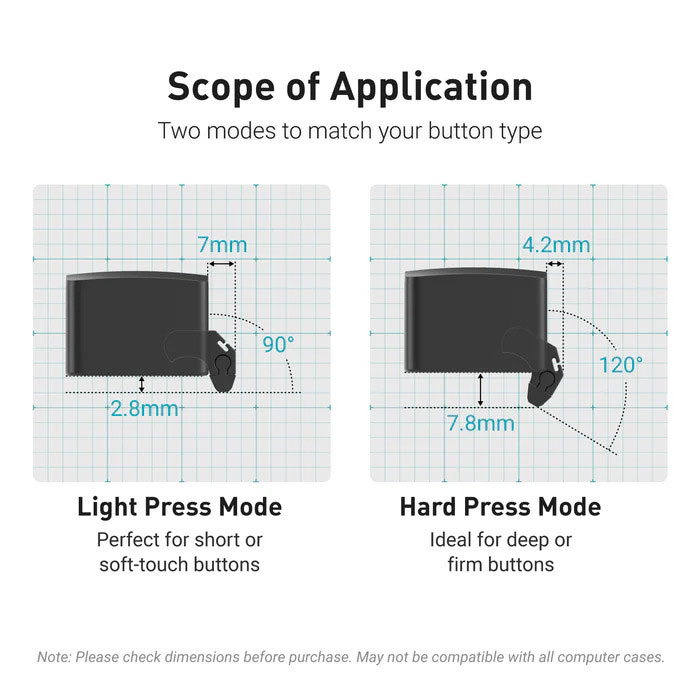
GL.iNet Fingerbot (FGB-01)
It’s not as elegant as using the ATX board but it works on anything with a physical button.
Use-case example:
A mini-PC tucked behind a rack that doesn’t expose motherboard connectors. You can stick a Fingerbot near the power button, pair it with the Comet Pro, and suddenly you’ve added remote power control to a device that was never designed for it.
Think of it as the “IPMI for literally any box with a button.”
Why These Add-Ons Matter for Your Server
Out-of-band video is only half the equation. To truly mimic what iDRAC, IPMI, or iLO offer, you need dependable remote power control and that’s exactly what these accessories provide:
- ATX Board: Direct, clean integration for proper servers and homelab rigs.
- Fingerbot: A universal fallback for systems where you can’t modify hardware or access internal headers.
With these paired alongside Comet Pro’s remote video, virtual USB, Tailscale connectivity, and BIOS-level access, you can turn almost any machine into a remotely manageable server even if it’s sitting on the other side of the country.
If you’ve ever worked with Dell iDRAC, Supermicro IPMI, or HPE iLO, you already know the value of true out-of-band management: full control of a system regardless of the OS state even when it’s frozen, crashed, or refusing to boot. The downside is that these features are usually locked behind enterprise hardware and high price tags.
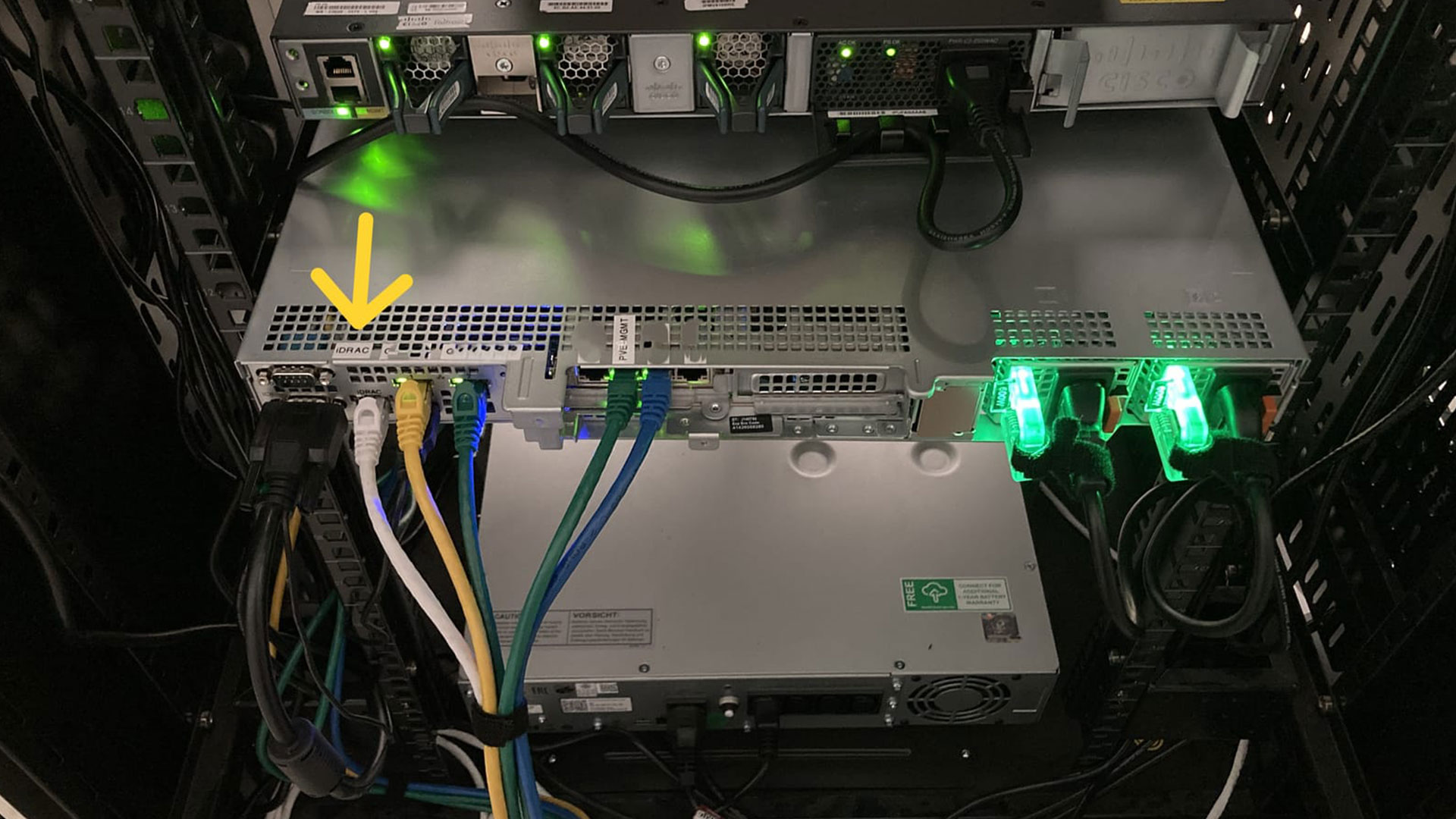
A Dell rack-mounted server with iDRAC out-of-band functionality.
That’s where the Comet Pro stands out. It delivers iDRAC/IPMI-style capability to devices that were never designed for it, giving home labs, small businesses, and remote IT support a powerful, affordable alternative.
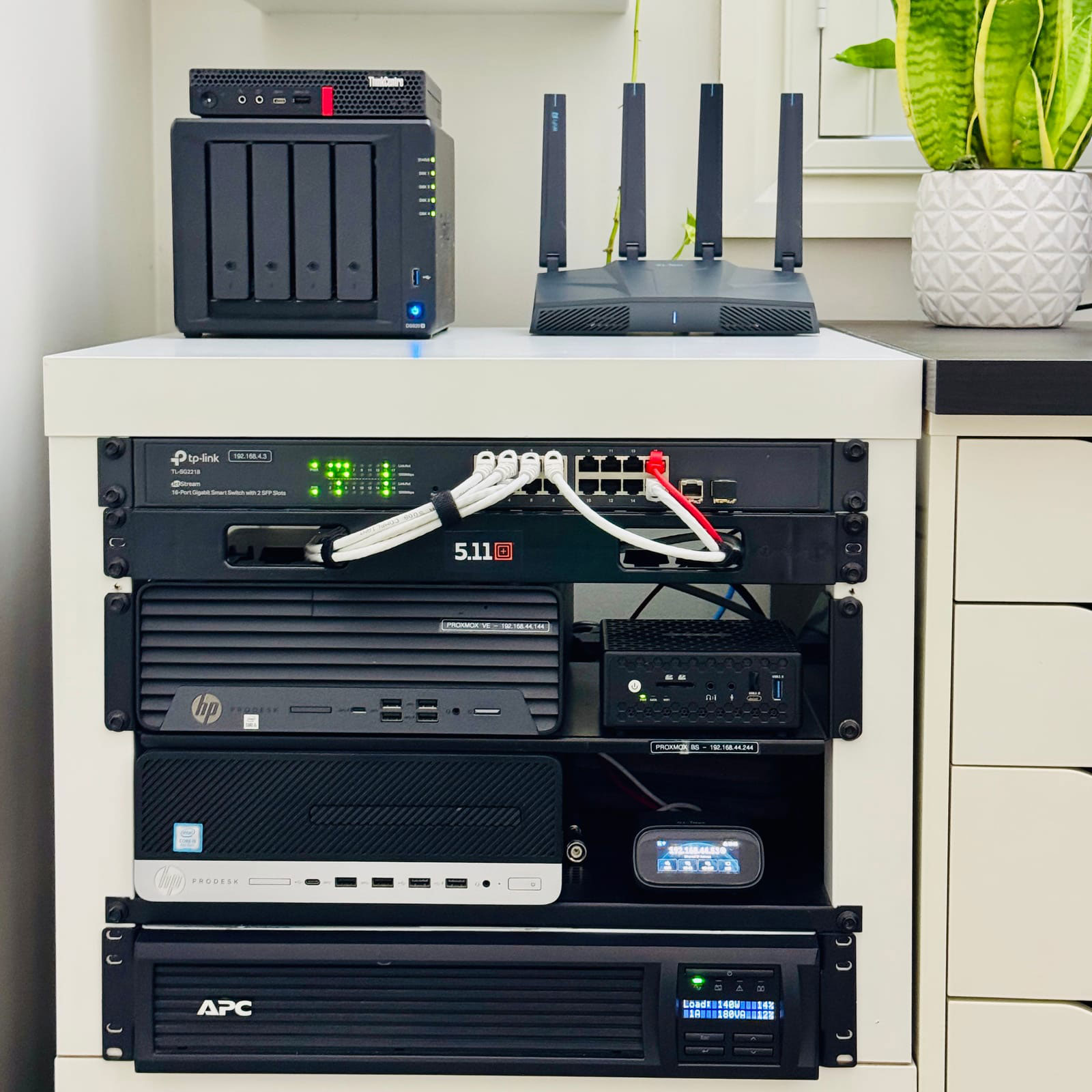
The Comet Pro permanently connected to my PROXMOX VE Baremetal server.
Connectivity and Setup
Setting up the Comet Pro is refreshingly straightforward. It connects to your target system through a USB port for control and power, while network options include both Gigabit Ethernet and Wi-Fi 6. There’s no 2.5G port, but for KVM tasks, Gigabit is more than enough.
This setup gives you the flexibility to control your systems either locally within your LAN or remotely through the cloud.
Why Hardware Remote KVM Still Wins over RDP
This is where the Comet Pro shines. Software KVMs like TeamViewer, Chrome Remote Desktop, or AnyDesk only function when the operating system is up and running, the same goes to Windows RDP or Parsec. The moment your system crashes, freezes, or fails to boot, they’re useless.
The Comet Pro, on the other hand, operates independently of your computer’s OS. You can view BIOS screens, modify boot orders, or reinstall operating systems remotely even if the PC is completely powered down.
For IT professionals managing remote servers, DIY NAS devices such as UnRaid or TruNAS, Proxmox node/clusters, or if you are enthusiast just managing your homelab this is an absolute game-changer.
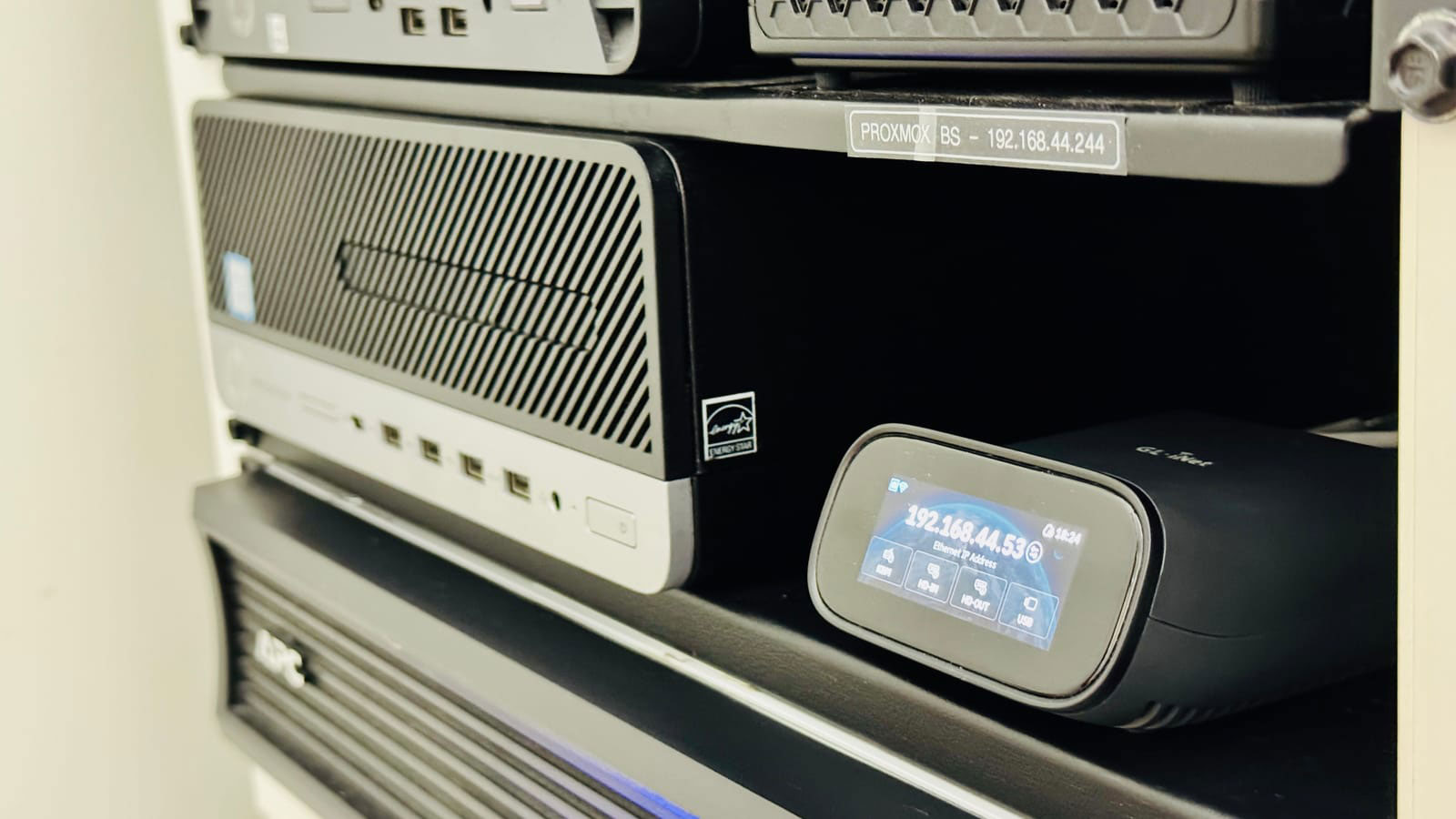
The Comet Pro conveniently setting on the shelving in my ghetto setup homelab.
What’s Under the Hood
At just 170 grams, the Comet Pro is compact and portable. It houses a quad-core ARM Cortex-A53 CPU paired with 1 GB of RAM… modest, but efficient for real-time video encoding and network streaming tasks.
The 32 GB eMMC storage lets you upload ISOs for bootable OS installs, mount virtual drives, or store diagnostic tools. While write speeds (23–29 MB/s) aren’t lightning fast, but they are consistent and reliable.
I do wish it offered expandable storage via microSD or USB, as that would simplify managing multiple ISO files on the go.
Here’s the full specifications from the GL-iNet website:
Technical Specifications
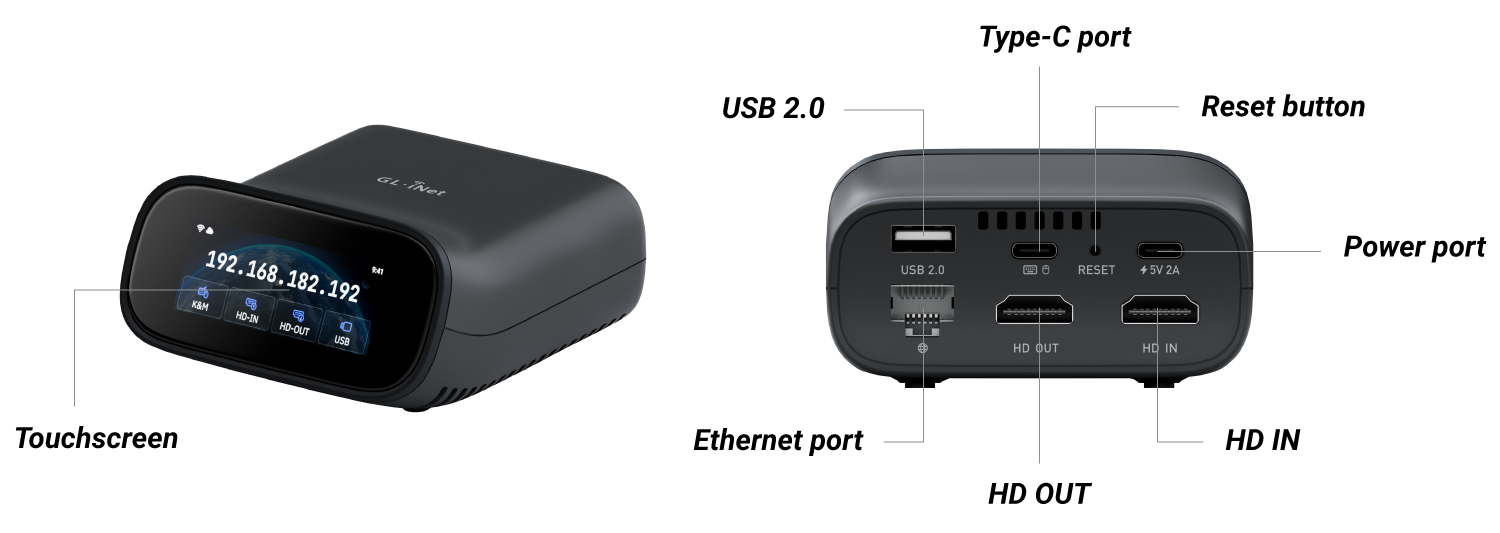
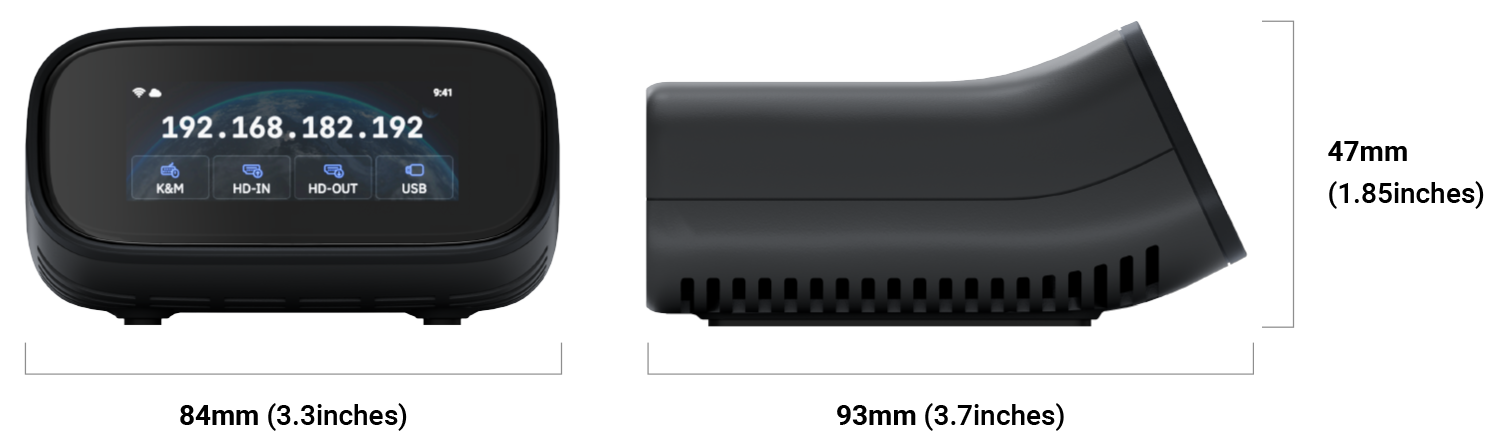
| Operating System | Linux 6.1 |
| CPU | Quad Core ARM Cortex-A53 |
| Memory / Storage | DDR3L 1GB / 32GB eMMC |
| Display Screen | 2.22 inch, Touchscreen |
| Wi-Fi Protocol | IEEE 802.11 a/b/g/n/ac/ax |
| Wi-Fi Speed | 286Mbps (2.4GHz), 286Mbps (5GHz) |
| Antennas | 1 x internal Wi-Fi antennas |
| Resolution | 4K@30FPS |
| Interface | 1x USB Type-C Keyboard, Mouse 1x Gigabit Ethernet port 1x HD In 1x HD Out 1x USB 2.0 Type-A |
| Power Input | 1x USB Type-C Input: 5V/2A with PD Compatible |
| Dimension / Weight | 93 x 84 x 47 mm / 170g (3.7 x 3.3 x 1.85 inch) |
Power, Thermals, and I/O Design
You can power the Comet Pro either with the included 10W power adapter or directly from your target device’s USB port (5V). Power consumption stays low about 1.5–2.5W when idle and up to 4.5W under load.
However, if you choose to power it from the target device’s USB port, be aware of one potential caveat: when the PC is shut down or in certain sleep states (S3 or S4), the USB ports may stop supplying power depending on your motherboard’s power configuration.
If the USB port powers off during these states, the Comet Pro will also lose power meaning it won’t be able to wake up the system remotely. To prevent this, make sure USB power in standby (sometimes labeled “USB charging in sleep mode” or “ErP disabled”) is enabled in the BIOS/UEFI settings.
In extended tests, surface temperatures peaked at around 45-50°C after 24 hours of continuous operation, with no noticeable throttling.
Full-sized HDMI ports (in and out) eliminate the need for adapters, and the included accessories HDMI cable, USB-A to USB-C, USB-C to USB-C, and Ethernet cable mean you’re ready to go right out of the box.
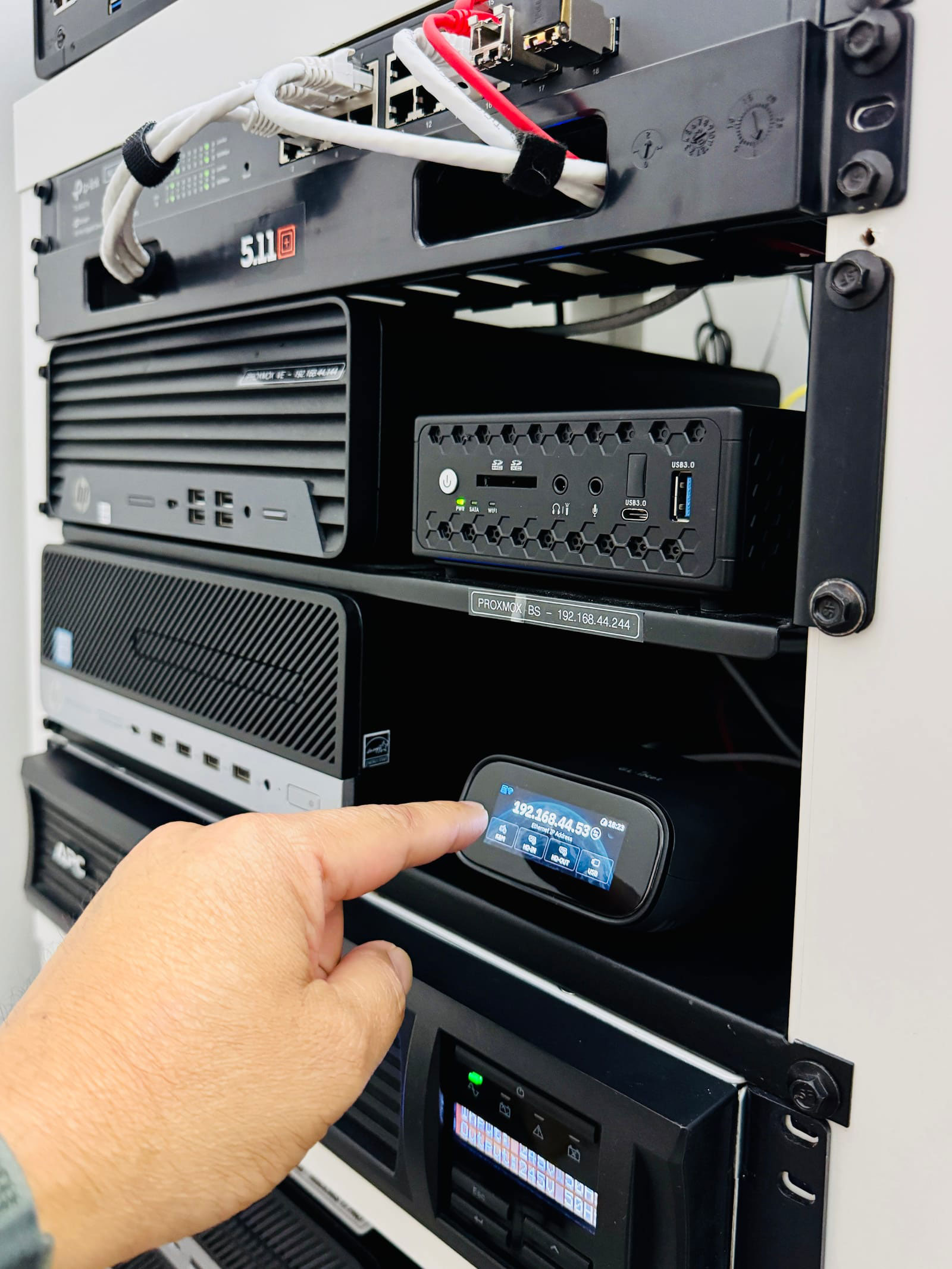
Touchscreen LCD screen
Touchscreen LCD
One of the standout features is the built-in LCD touchscreen. Setup is intuitive.You can connect to Wi-Fi, manage device settings, or monitor connection status directly from the screen. I thought it was a gimmick at first but after the initial getting-to-know the device I realize how helpful it will be in my use-case.
It even lets you set a local PIN, giving you physical access control before any remote session starts. This local-first security design adds an extra layer of protection especially useful for shared environments.
Security and Tailscale Integration
For secure remote access, the Comet Pro supports password protection, 2FA, and local access control.
But here’s where it gets better… it has native Tailscale integration.
You can connect the device to your existing Tailscale mesh VPN, allowing private, encrypted access without opening ports or depending on third-party relay services. For homelab users or IT administrators already using Tailscale, this is a huge plus.
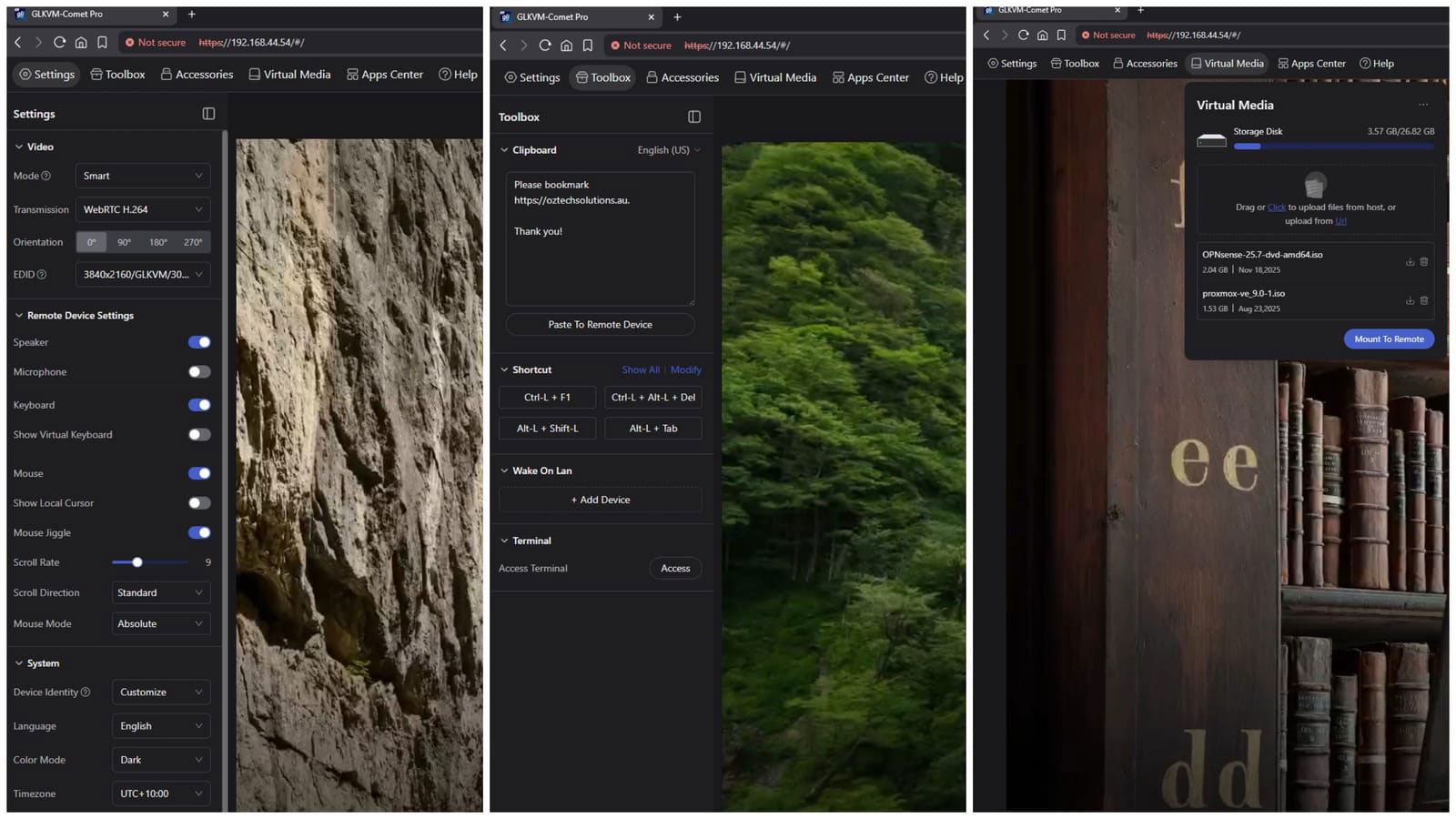
Greeted with high-quality web user interface once logged in.
Software Experience
During my tests, the Comet Pro was running firmware version 1.6 (Beta), and the client apps for Windows performed reliably with no noticeable lag or stutter. There’s currently no dedicated Linux client, but the web interface easily makes up for it offering the same controls for video, audio, and BIOS-level keyboard macros.
Personally, I prefer using the web interface. It requires no installation, loads quickly, and feels just as responsive as the native apps. Functionality and response times are practically identical, so it really depends on what’s most convenient for you.
You can adjust video resolution on the fly, toggle streaming quality, and even use hotkeys for quick BIOS entry (Delete, F2, etc.). Video quality remains steady at 1080p/60Hz or 4K/30Hz, depending on your network. I noticed that the more I am using it I mostly keep the setting at 1080p as I usually just access the Terminal User Interface anyway.
A small gripe: enabling audio or mic streaming sometimes required a restart. Minor, but worth noting.
Virtual Media & File Transfers
Uploading ISOs and mounting them virtually works flawlessly. File transfers based on my test is averaging at 23–29 MB/s, it is adequate for remote installs or patch uploads in my opinion.
The Virtual Media feature lets you boot remote systems as if a physical USB drive were attached perfect for OS installs or rescue operations.
How It Stacks Up with other Remote KVM in the Market
The Comet Pro outperforms other KVM devices in almost every key area offering a faster CPU, larger internal storage, built-in Wi-Fi 6, and a responsive touchscreen interface that simplifies setup and management.
As mentioned earlier, GL.iNet has also introduced a PoE variant of the Comet, designed for those who prioritize centralized power delivery. However, unlike the standard Comet Pro, the PoE version doesn’t include the touchscreen or wireless network connectivity, so you’ll be trading a bit of flexibility for that added convenience.
GL.iNet’s attention to detail, focus on usability, and network versatility give the Comet Pro a clear advantage. It feels like a device built for real-world remote management, not just another spec-heavy gadget on paper.
What truly sets GL.iNet apart is their active and responsive development team. They don’t just release a product and move on… they engage directly with users on platforms like Reddit, Discord, and their official forums, gathering feedback and rolling out improvements regularly. I can personally attest to this as I’ve had the opportunity to communicate directly with both their developers and marketing team in many occasions, and their responsiveness and openness to feedback have been genuinely impressive.
That kind of ongoing communication and community-driven refinement inspires real confidence in GL.iNet’s ecosystem and long-term product support.
Weighing in on Pros and Cons
Pros
- BIOS-level (cold boot) control
- Intuitive touchscreen setup
- Full-size HDMI ports and rich accessory pack
- Tailscale and 2FA support for secure remote access
- Low power and heat footprint
- Wireless connectivity
- Ability to enable and use PiKVM backend (if you prefer classic style)
- Continuous development of the product and push it via firmware updates
Cons
- No PoE option (even it’s a PRO version)
- No Micro/SD slot or USB3 storage access (It’s kinda nice to have)
- Occasional audio/mic reconnection issues (Pretty sure they’re working on it.)
What’s Nice (for future firmware updates)
- VLAN tagging support that can survive reboot
- Additional secure remote access integration with ZeroTier and NetBird
Final Verdict
The GL-iNet Comet Pro (GL-RM10) hits the sweet spot between usability, security, and hardware-level control. Its clean design, responsive LCD interface, and Tailscale integration make it one of the most practical KVM-over-IP devices I’ve tested.
While it’s still in its beta phase, it already delivers where it counts reliable BIOS access, solid streaming, and stable connectivity.
If you’ve ever struggled to recover a headless system or manage a distant server, this is the tool you’ve been waiting for.
Remark
This is a guest post from our friend at Oztech Solutions. You can view the original post and more of their content here: https://oztechsolutions.au/gl-inet-comet-pro-review-a-new-contender-redefining-remote-kvm-control/

About The Author
Larry, the driving force behind Oztech Solutions, is based in Liverpool, NSW (Southwest Sydney). He brings a wealth of experience, with over 7 years in hands-on IT and a decade in telecommunications, supporting diverse environments from hotels and aged-care facilities to corporate networks. Larry has also contributed valuable insights to GL.iNet through beta testing of new products. You can learn more about Oztech Solutions at https://oztechsolutions.au/about/.
About GL.iNet
GL.iNet builds network hardware and software solutions that bring affordable and secure network connectivity to families and businesses all over the world. We work with a wide range of industries, solving everyday internet problems in offices, and providing complex networking solutions such as smart buildings and IoT Networks. At GL.iNet, we believe all successful businesses build upon a strong and secure foundation, which is why our highest priority is perfecting network security and reliability for our partners.